Progressive Web Apps: Benefits, Cost & Development Services
In 2026, businesses are losing millions in revenue due to slow mobile experiences—yet most still rely on outdated web or expensive native apps, a website that takes more than 3 seconds to load? That single fact explains why performance is now one of the most critical factors in digital success.
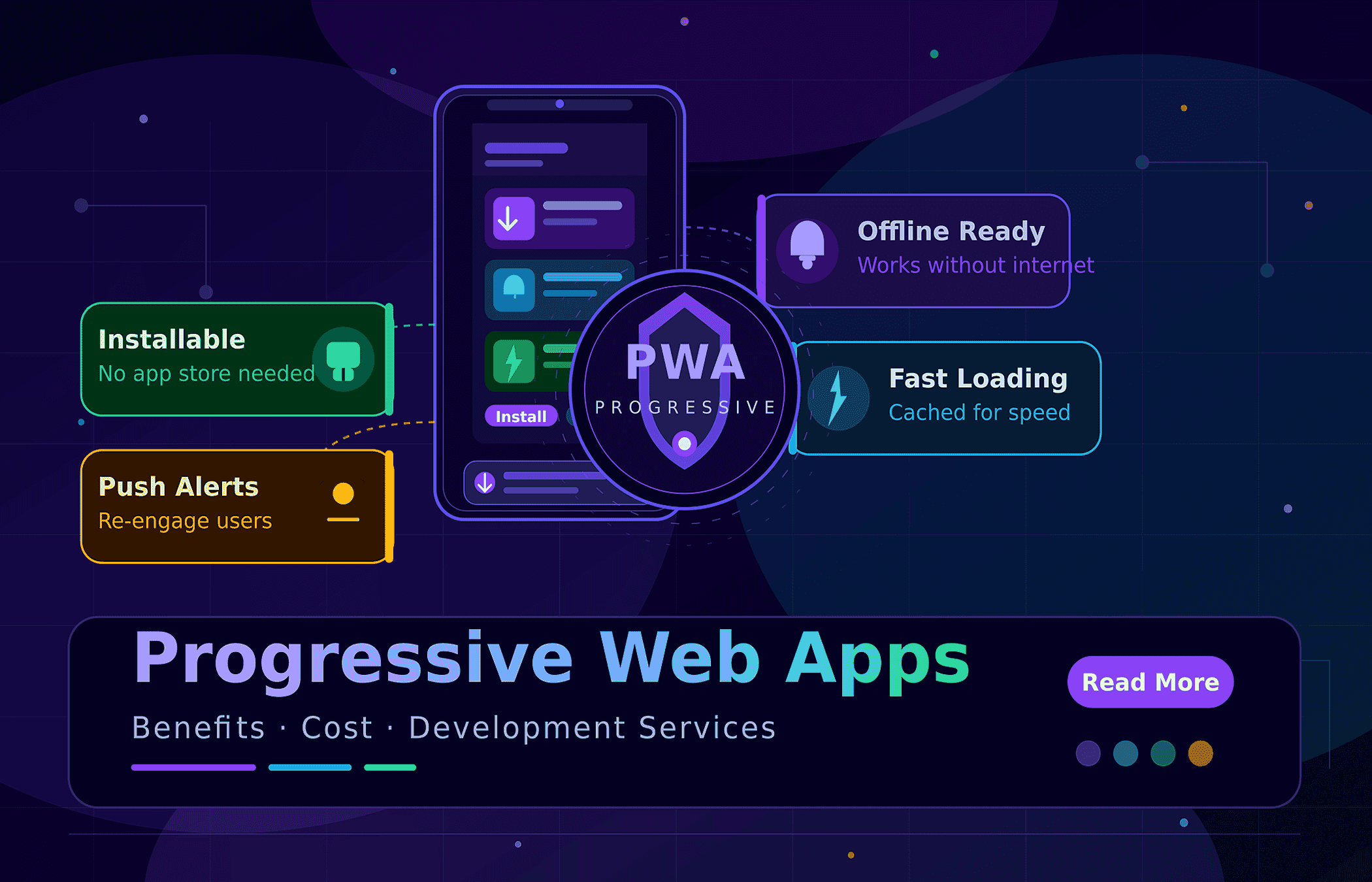
Businesses are ditching app stores for Progressive Web Apps (PWAs). These apps are fast and reliable. Best of all, users can skip the download and start using them instantly.
PWA technology bridges the reach of the web with the feel of a native app. Companies like Hulu, JD.ID and Flipkart have already seen great results. They enjoy faster load times and more return visits. These companies are proving that PWAs drive higher conversions. Webo 360 Solutions builds PWAs that help your business grow. We turn modern tech into real, measurable results for your enterprise.
At Webo 360 Solutions, we build fast, scalable web apps. Our PWA services help your business grow. We turn technology into measurable ROI for your brand.
📌
Highlights
-
✔Slow loads lose users — cutting load time reduces abandonment and increases engagement directly.
-
✔Native builds often lead to high maintenance costs. In contrast, one PWA codebase reduces development spend and speeds up updates across all platforms.
-
✔No install friction means more repeat visits. Home screen icons and push alerts help you reach users instantly.
-
✔Unreliable networks cause users to drop off. With offline support and smart caching, your app stays fast. This improves your conversion rates on flaky connections.
-
✔Proven ROI — case studies from AliExpress, Flipkart, Hulu, and JD.ID shows measurable lifts after PWA adoption.
-
✔PWAs are ideal for eCommerce, SaaS, local services, and publishing businesses.
🚀 Ready To See How PWAs Can Grow Your Business?
Get a free performance analysis and tailored cost estimate from Webo 360 Solutions.
📑Table of Contents
-
1What Are Progressive Web Apps?
-
2Why PWAs Are a Strategic Business Advantage in 2026
-
3Core Business Benefits of Progressive Web Apps
-
4Progressive Web Apps vs Native Apps
-
5Key Technical Ingredients for a Successful PWA
-
6PWA Development Cost in 2026
-
7Progressive Web App Development Services by Webo 360 Solutions
-
8Real-World PWA Examples & Success Stories
-
9How Different Business Types Can Leverage PWAs
-
10Must-Have Features for Your PWA
-
11Strategic Planning to Launch a Successful PWA
-
12Engineering Authority & EEAT Validation
-
13Conclusion
-
14Sources & References
-
15Frequently Asked Questions
1. What Are Progressive Web Apps?
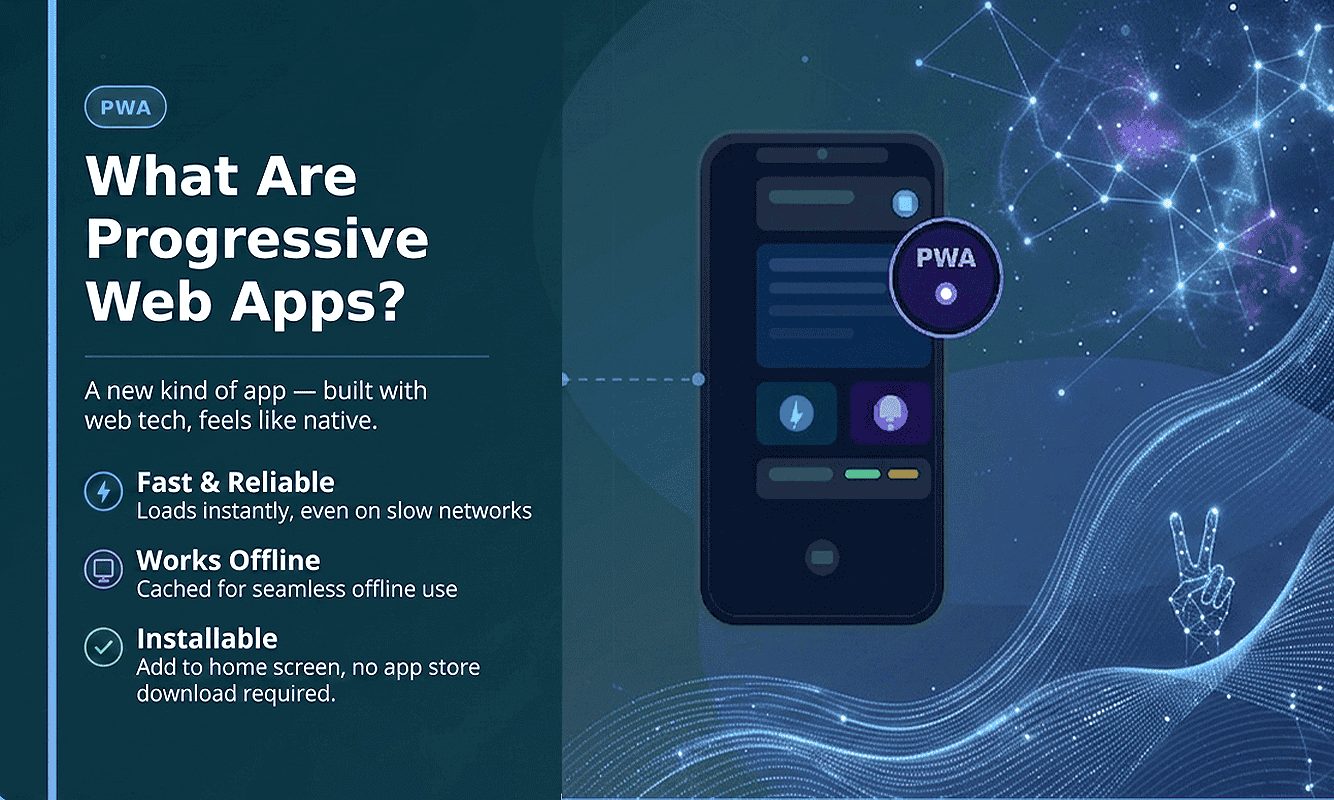
A Progressive Web App (PWA) is a website that acts like a mobile app. It uses modern tech to give users a fast, native experience right inside their browser. It uses a single codebase, so you can reach any device and reduce maintenance across all platforms.
A PWA is a web app built for growth. It uses service workers and manifests to offer offline access and fast interactions. Best of all, it works instantly without an app store download.
The Technology Behind PWAs
At their core, PWAs rely on three key features. These technologies allow them to work just like a native mobile app:
- Service Workers: Background scripts that manage caching, background sync, and push notifications—enabling offline access and fast load times.
- Web App Manifest: A JSON file that controls how the app appears on a user’s device, including icons, theme color, display mode, and launch behavior.
- HTTPS security: Ensures a secure connection between user and server, required for service workers and essential for safe PWA functionality.
Modern frameworks such as React, Vue, and Svelte accelerate development, but these three pillars are what make a PWA feel native. Always verify browser support at caniuse.com first. You should confirm that your target audience can use specific APIs before you commit to them.
Core PWA Features
- Offline support: Smart service worker caching allows users to continue working even with poor or no connectivity.
- Home screen installation: One-tap install provides quick access, improving retention and daily engagement.
- Push notifications: Direct communication channel for re-engagement, delivering strong ROI when used effectively.
- Fast & responsive performance: Optimized load times and smooth UI across all devices and screen sizes.
- SEO discoverability: Fully indexable content ensures visibility in search engines.
- Background sync: Queues user actions offline and syncs data automatically when connectivity is restored.

Why PWAs Combine The Best Of Web And Mobile
2. Why PWAs Are A Strategic Business Advantage In 2026
In 2026, mobile-first experiences are no longer optional — they are essential for business growth. PWAs are a strategic choice for modern companies. They help you improve performance and meet user expectations. You get a fast, reliable app without the hassle of native development.
The Mobile-First Reality Of Modern Commerce
Your customers expect instant results every time they pick up their device. If your web presence feels slow or clunky, users will quickly move to a faster competitor. High bounce rates happen when pages load slowly. Even a one-second delay can hurt your bottom line. Speed is vital for protecting your revenue.
PWAs help companies deliver better digital results. By using a single platform, you get high performance and easy scaling. This ensures your app is accessible to all users. This reduces operational complexity while improving user satisfaction and long-term engagement.
Core Reasons To Choose PWAs Now
- Lower total cost: A single codebase reduces engineering effort, maintenance overhead, and eliminates the need for separate native apps.
- Faster time-to-market: Ship updates instantly via the web without waiting for app store approvals.
- Improved discoverability: Fully indexable content boosts SEO and drives organic traffic.
- Higher retention: Home screen installation and push notifications encourage repeat engagement.
- Offline resilience: Smart caching keeps your app functional even with unstable or no internet connection.
- No store commissions: Avoid the 15–30% fees charged by major app stores and retain more revenue.
Real Performance Results From PWA Adopters
Note:Please verify these figures with the source. Make sure the data is accurate before citing it in your proposals.
Industry Validation And Adoption
Leading tech brands like Google and Microsoft back PWAs. They actively promote these apps as the future of the web. According to Google Developers (web.dev), PWAs provide a fast and reliable experience. They are designed to keep users engaged across all their devices. Top brands like AliExpress, Starbucks, and Pinterest all use PWAs. These brands have shared data showing that their apps are now faster and more successful.
🚀 See How PWAs Can Increase Your Mobile Conversions
Book a free mobile performance audit with Webo 360 Solutions and get a prioritized roadmap within 48 hours.
3. Core Business Benefits Of Progressive Web Apps
Progressive Web Apps are not just a technical upgrade — they are a business growth tool. PWAs improve speed and reliability to keep users engaged. These benefits lead to better results for your business. You will see higher conversion rates and much happier customers.
Higher Engagement And Retention
Putting your app on a customer’s home screen removes the hassle of app stores. It creates a constant connection with your user. This is a level of access that standard websites cannot offer. This constant presence, along with push notifications, helps you stay top-of-mind. It encourages users to return to your app and builds long-term loyalty. Users who install your PWA to their home screen are significantly more likely to become repeat customers.
Improved Conversion Rates
Fast-loading pages and seamless navigation reduce user friction at every step. Whether you run a store or a software platform, PWAs boost your sales. They remove loading delays and make the path to purchase much smoother. This ensures users don’t drop off before they finish. Faster loading and fewer steps keep users from leaving. When it is easy to buy, more people finish their orders. This leads to more sales for your business.
Lower Development And Maintenance Costs
Instead of managing different apps for Apple and Android, you only need one PWA. This single codebase works across all devices. It simplifies your work and keeps your brand consistent. This reduces development time, ongoing maintenance effort, and total cost of ownership. Finding skilled JavaScript developers is faster and costs less than hiring multiple native teams. You can build your entire app with one team instead of three.
Offline Functionality And Reliability
Service workers allow your app to run offline. Users can still view products and take important actions without a steady connection. This ensures they never get stuck on a blank screen. This ensures a smooth experience for every user. It is perfect for travel or retail apps where the internet often cuts out. Your customers can keep working or shopping without any interruptions.
SEO And Discoverability Advantage
Unlike native apps, PWAs are fully indexable by search engines. Your content can rank on Google, driving sustainable organic traffic and increasing visibility. Pre-rendering your routes makes your PWA much faster for new visitors. Tools like Next.js handle this work for you. It ensures your app loads quickly and is easy for search engines to find.
Lightning-Fast Performance Across All Devices
A single PWA codebase ensures consistent quality across smartphones, tablets, and desktops. Service workers make your app load almost instantly, even when your site is busy. This fast and reliable feel keeps users on your page and helps them finish their purchase.
🚀 Get A Conversion-Focused PWA Plan
Schedule a review with Webo 360 Solutions today. We will show you how better design and faster speeds can boost your sales.
4. Progressive Web Apps vs Native Apps
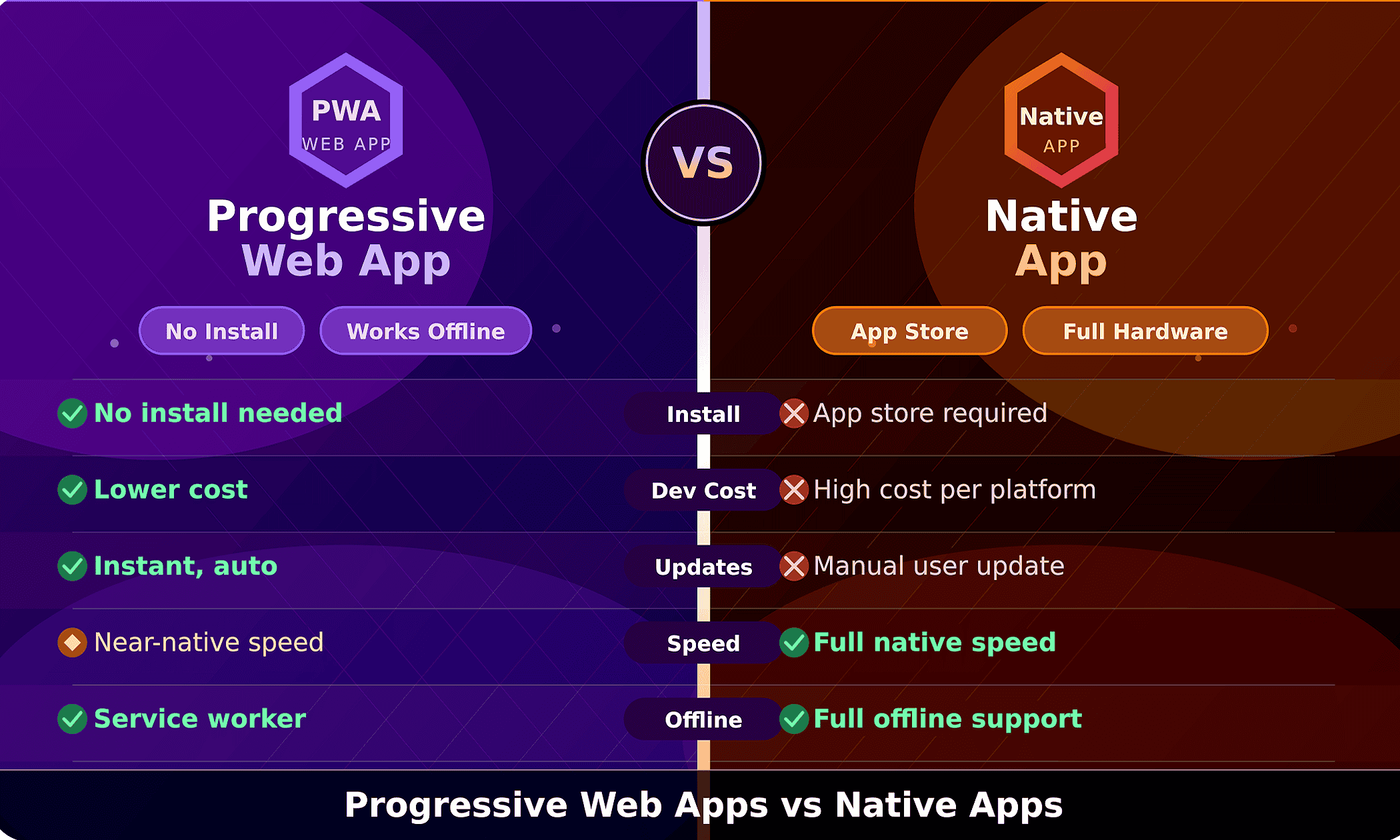
Choosing between a PWA and a native app is a key business decision. It affects your total costs and how quickly you can get your product in front of customers. Both options have real benefits. The right choice depends on what your app needs, your budget, and how fast you want to grow.
Quick Decision Guide
- Choose a PWA: Best for reaching a wider audience quickly, reducing costs, and improving discoverability on search engines—ideal for eCommerce, content platforms, and lightweight tools.
- Choose a native app: Required when you need deep access to device capabilities like AR/VR, advanced sensors, or platform-specific features on iOS and Android.
- Choose a hybrid approach: Combine a PWA for reach and SEO with a native app for advanced device features—balancing accessibility and performance.
Performance And Hardware Access
Near-native performance is achievable with a modern PWA for most commerce and content scenarios. By using efficient code and modern web tools, PWAs handle heavy tasks with ease. This creates a fast, responsive feel that is almost identical to a native app. Still, native apps are better for using a phone’s most advanced tools. This includes special sensors and complex tasks that need to run in the background without any delay. Always evaluate required device APIs before committing to either path.
Distribution And App Store Friction
Native apps require a download and store approval, which adds extra work for the user. These hurdles often lead to fewer sign-ups and lost customers during the setup process. PWAs are delivered via your website, installable from the browser with a single tap, and accessible without an app store listing. His model also cuts out store fees, which are often $15 to $30. By skipping the app store, you keep more of your money and have total control over your pricing.
Development Costs And Maintenance
Building separate apps for iOS and Android means hiring two different teams. You have to do the same testing twice, which makes every update take much longer. A single codebase removes the need to do the same work for every device. This simplifies your updates and helps you get new features to your customers in record time. Automatic updates mean your users always have the latest version. This skips the long wait for app store reviews and significantly lowers your long-term costs.
Discoverability: SEO vs App Store Limits
Because PWAs are essentially websites, search engines can read and rank every page. This gives you a major edge in attracting new customers through organic search. Native apps are generally invisible to web search unless special app-indexing is implemented. If your business grows by bringing people in through search, this is a huge win. It gives you a built-in edge that helps you stand out from the competition.
Most businesses get more for their money with web apps because they are easy to update and reach more people. However, native apps are still better if you need to use the phone’s most advanced tools.
— Industry Analysis
🚀 Not Sure Which Path Is Right For Your Product?
Book a PWA vs Native consultation with Webo 360 Solutions. We will map your requirements to the optimal development approach.
5. Key Technical Ingredients For A Successful PWA
A reliable, install-like experience depends on core web technologies implemented correctly. Use this checklist before building or auditing your PWA:
- HTTPS: Required for service workers, background sync, and push notifications—ensures secure communication.
- Web App Manifest: Configure app name, icons, start URL, display mode, and theme color for install-like behavior.
- Service Workers: Enable caching strategies, offline fallbacks, background sync, and push notifications.
- Application shell: Lightweight HTML, CSS, and JavaScript for fast first paint and consistent UX across devices.
- Smart caching strategy: Prioritize critical user actions (e.g., checkout, forms) and sync data automatically when connectivity returns.
- Testing tools: Use Lighthouse to audit performance, accessibility, and SEO; validate across browsers including Safari and in-app environments.
- WebAssembly: Enables high-performance tasks like video processing or complex computations directly in the browser.
Core Web Vitals To Monitor After Launch:
- LCP (Largest Contentful Paint): Measures loading performance.
- CLS (Cumulative Layout Shift): Measures visual stability.
- INP (Interaction to Next Paint): Measures responsiveness.
- TTI (Time to Interactive): Measures when the app becomes fully usable.
Run a quick check before you start. List the phone features you need, map out how users will move through the app, and set clear goals for how fast the site should load. This step prevents costly rework during development.
🚀 Want A Technical PWA Audit?
Our team at Webo 360 Solutions will audit your technical setup to ensure your app stays fast and reliable. We’ll provide a simple action plan that shows you exactly what to fix first.
6. PWA Development Cost In 2026
A web-first PWA approach often lowers your overall costs. Instead of paying for separate iOS and Android apps, you build one version that works everywhere. Using one codebase simplifies your maintenance and speeds up updates. You can fix bugs once and release new features across all devices and browsers instantly. Savings depend on scope and complexity.
Key Factors That Determine Your PWA Investment
- Discovery & strategy: Requirements gathering, user research, and product roadmap planning.
- UI/UX design: Custom interfaces, animations, and responsive layouts across devices.
- Frontend development: Framework selection, component architecture, and performance optimization.
- Backend & integrations: APIs, payment gateways, CMS, and third-party services.
- Service workers & caching: Offline functionality, sync strategies, and manifest configuration.
- Testing & QA: Cross-browser/device validation, accessibility checks, and security testing.
- Deployment & security: HTTPS setup, TLS configuration, hosting, and CDN optimization.
- Ongoing optimization: Monitoring, A/B testing, performance tuning, and continuous improvements.
Estimated Investment Ranges
These ranges are illustrative starting points. Final costs are based on local rates and the technology required for your project. We also consider performance goals, security rules, and how much ongoing support you want. Always request a custom scoping call for accurate estimates.
Additional Factors That Affect Cost
- Feature complexity: Advanced capabilities like offline commerce, real-time sync, complex search, or personalization require more engineering effort.
- Integrations: Payments, analytics, CRM systems, and third-party APIs increase setup time and testing complexity.
- Design sophistication: Custom animations, multi-brand themes, and full design systems add development and QA effort.
- Performance SLAs: High-speed global delivery, CDN optimization, and strict performance targets increase engineering scope.
- Security & compliance: Requirements like PCI, HIPAA, or enterprise audits involve specialized expertise and additional validation.
- Team model: Choosing between agency, in-house, or offshore teams impacts hourly rates, communication, and delivery timelines.
Long-Term Savings And ROI
Long-term savings come from maintaining a single product instead of two. Better data saving reduces the strain on your servers, while a simpler setup allows you to release new features much quicker. Typical PWA MVP timelines range from six to twelve weeks for focused projects. Many companies see their investment pay off in three to six months. How fast you see results depends on how many visitors you have and how much you spend on marketing.
🚀 Get A Tailored PWA Cost Estimate
Provide your core features, integrations, and target markets. Webo 360 Solutions will return a detailed scope, timeline, and estimate within 48 hours.
7. Progressive Web App Development Services By Webo 360 Solutions
A US-based company with 50+ US and global clients. React and Next.js PWA specialists delivering 2-4 month timelines. Our team combines expert design and engineering to build reliable web apps that drive sales. We focus on your unique needs to create a product that helps your business grow.
What We Deliver
- Discovery (1–2 weeks): User research, analytics review, and a clear PWA vs native roadmap.
- Design (2–4 weeks): Figma prototypes, install flows, and responsive design systems.
- Development (6–12 weeks): Modern stack implementation with offline support, push notifications, and high-performance architecture.
- Quality assurance: Cross-browser and device testing (Chrome, Safari, Edge), including in-app browsers like Facebook and Instagram.
- Deployment: 99.9% uptime setup, Core Web Vitals optimization, HTTPS, and CDN configuration.
- Post-launch support: 3 months of free support with performance monitoring and ongoing optimization.
5 Reasons 50+ Businesses Trust Webo 360 Solutions
Webo 360’s PWA cut our bounce rate by 42% and doubled mobile revenue within three months of launch.
— US E-commerce Client
⭐Why Choose Webo 360 Solutions
-
Proven PWA expertise: Cross-industry experience delivering measurable results and real business impact.
-
Performance-first approach: Optimized for speed, SEO, and user retention from day one.
-
Security & compliance: HTTPS-first deployments, secure headers, and enterprise-grade standards.
-
End-to-end delivery: From strategy to post-launch optimization—one accountable partner throughout the lifecycle.
-
Transparent pricing: Clear packages and tailored estimates aligned with your business goals.
🚀 Ready To Start Your PWA Project?
Schedule a free 30-minute strategy call with Webo 360 Solutions. We will review your goals, timelines, and cost of PWA development on the call.
8. Real-World PWA Examples & Success Stories
You do not have to guess whether progressive web technology works. Enterprise case studies show clear, measurable gains across retail, media, food, and streaming. The examples below show how speed and reliability build trust with your users. By offering an experience that feels like a real app, you can turn a one-time visitor into a long-term customer.
AliExpress: 104% Increase in Conversions for New Users
AliExpress rebuilt its mobile site as a fast web app to improve the user experience. This change led to a massive 104% increase in sales from new users. It proved that a better web app directly grows your profit. This shows that a fast app makes it much easier to win over new customers. It helps you grow your business quickly on any device, anywhere in the world.
Read the full AliExpress PWA case study on Google Developers
Source: Google/AliExpress PWA Case Study. Please confirm these figures with the original report before sharing this with a client.
Debenhams: 40% Mobile Revenue Growth
Debenhams’ PWA investment delivered substantial mobile revenue growth and faster checkout flows. Results showed a $40% increase in mobile revenue. Thanks to faster load times and an easier layout, the business saw a huge improvement in how many visitors became customers.
Source: Debenhams PWA case study — verify figures against the original report before publishing.
Flipkart Lite: 70% Higher Conversion Rate for Installed Users
Flipkart’s Flipkart Lite PWA showed that when users add a site to their home screen, engagement and conversions can rival native apps. They reported significantly higher conversion and re-engagement rates for installed users compared to their previous mobile web experience.
Read the full Flipkart Lite PWA case study on Google Developers
Source: Flipkart Lite PWA case study — verify figures against the original report before publishing.
More PWA Success Stories
For all case studies: Check the original engineering or marketing posts to understand precise test parameters, timeframes, and whether numbers reflect A/B tests or broader launches.
🚀 Want Similar Results For Your Business?
Request a tailored case study review from Webo 360 Solutions. We will map proven PWA outcomes to your vertical and share validated benchmarks.
9. How Different Business Types Can Leverage PWAs
The true versatility of progressive web solutions becomes clear when you map features to specific industry needs. Modern PWAs let you tailor experiences by business type to hit retention, conversion, and engagement goals without rebuilding for every platform.
E-Commerce: Reduce Cart Abandonment and Increase Sales
Online stores struggle with abandoned carts when pages load slowly or checkout flows are fragmented. A PWA delivers instant speeds, reliable smart caching, and offline product browsing so customers can shop even with flaky connectivity. Combined with the Web Payments API and targeted push notifications, e-commerce teams recover lost revenue and shorten the path to purchase.
Explore our eCommerce PWA development services to see how we handle checkout optimization and offline cart functionality.
SaaS Platforms: Deliver Consistent Multi-Device Experiences
SaaS companies use PWAs to provide a unified, responsive experience across desktop and mobile without duplicating engineering effort. Offline caching and background sync let teams work on the go — when connectivity returns, changes sync automatically.
See our SaaS web application development work for architecture patterns and case studies.
Local Service Businesses: Drive Foot Traffic with Push Notifications
Local shops and service providers use geo-targeted push alerts to drive immediate foot traffic. Send timely lunch specials, appointment reminders, or flash sales to nearby users and convert digital interest into real-world visits. Automated reminders also reduce no-shows and improve customer satisfaction scores.
Online Publishers: Maximize Ad Revenue and Reader Loyalty
Publishers benefit from faster article load times and offline reading capabilities. A web-first PWA increases session length and page views, directly boosting ad impressions and subscription conversions. Offline caching keeps readers engaged during commutes or travel, increasing lifetime value and reducing churn.
10. Must-Have Features For Your PWA
Prioritize the PWA features that directly affect conversion and retention. Below are the high-impact items you should include in most business PWA projects.
Push Notifications: Re-Engage Your Audience
Push notifications provide direct, contextual re-engagement even when the browser is closed. When used responsibly with consent and segmentation, notifications can substantially lift conversion and reactivation metrics. Use sparingly and personalize messages — blanket notifications erode opt-in rates quickly.
Home Screen Installation: Build a Persistent Brand Presence
Home screen icons act as a persistent shortcut to your product and are a major engagement multiplier. Encourage installation at high-value moments — after a successful purchase or a key content milestone — and explain the benefits clearly before prompting. Users who install are significantly more likely to become repeat customers.
Smart Caching: Keep Users Engaged Offline
Service-worker-driven smart caching ensures users can browse catalogs, read articles, and perform key flows when offline. Cache critical routes for instant loads and update content quietly in the background to keep the experience fresh without interrupting users mid-session.
Browser Compatibility Notes
PWA API support varies by platform. Desktop and Android browsers generally support service workers, manifests, and push notifications fully. iOS Safari has improved significantly, but still differs in behavior for certain APIs — particularly push notifications and in-app browsers. Always test across your full browser matrix, plan graceful fallbacks, and consult MDN and caniuse.com for up-to-date compatibility data before launch.
🚀 Want A Tailored PWA Feature Roadmap?
Request a PWA consultation from Webo 360 Solutions and get a prioritized feature list and implementation cost estimate for your business.
11. Strategic Planning To Launch A Successful PWA
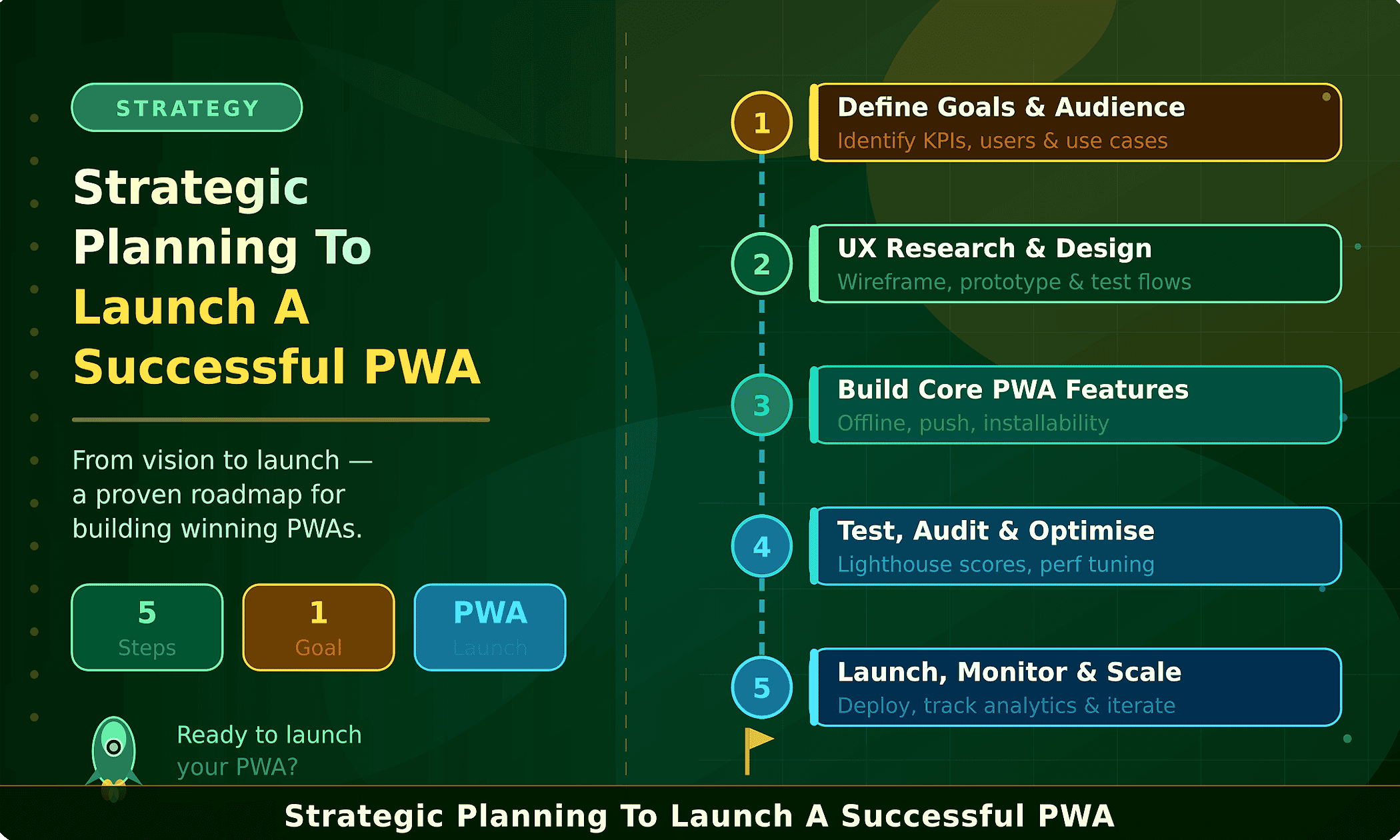
A focused plan turns your vision into a product that reliably drives ROI. Below is a step-by-step approach to move from your current website to a modern Progressive Web App that delivers speed, engagement, and measurable business results.
Conduct a technical and UX audit of your current site — analyze performance, conversion funnels, and drop-off points in key flows like checkout or sign-up. Identify which PWA features (offline access, caching, push notifications) will deliver the highest ROI.
Decide whether to upgrade your current system or rebuild using modern frameworks like React, Next.js, or Vue. If resources are limited, partner with experienced PWA developers to ensure scalable architecture and performance optimization.
Combine product, engineering, and marketing for launch success. Guide users through installation, optimize push permissions, and track KPIs like installs, DAU, and conversions to continuously improve retention.
Discovery Phase Checklist
12. Engineering Authority & EEAT Validation
This guide is built on real-world implementation experience in Progressive Web App architecture, combined with verified technical standards from leading web technology authorities. Every concept discussed is aligned with production-ready practices used in modern, high-traffic web applications.
At Webo 360 Solutions, our development approach follows engineering-first principles — where performance, scalability, and user experience are validated through actual deployment across responsive web systems, eCommerce platforms, and SaaS applications.
Industry-Recognized Technical Foundations
Progressive Web Apps are built on established web standards maintained by globally recognized organizations:
- Google Developers (web.dev): Defines performance best practices, service worker strategies, caching models, and installability guidelines used in production PWAs.
- Mozilla Developer Network (MDN Web Docs): Authoritative documentation for Service Workers, Web App Manifest, HTTPS requirements, and modern browser APIs.
- W3C — Web App Manifest Specification: Official specification governing web app manifests and ensuring long-term interoperability across browsers.
- Can I Use (caniuse.com): Tracks real-time browser compatibility for PWA features across global environments.
Real-World Engineering Validation
Progressive Web App architecture has been adopted by globally recognized platforms operating at scale. Companies such as AliExpress, Pinterest, Starbucks, Twitter Lite, Hulu, and Trivago have publicly documented improvements in page load performance, mobile engagement rates, user retention, and conversion optimization.
These results demonstrate that PWAs are not theoretical improvements — they are proven, measurable production systems used in high-traffic environments.
Implementation Expertise and Practical Experience
The methodologies in this guide reflect real-world implementation practices used in modern web engineering:
- Service Worker caching strategies: Offline-first and network-first patterns tailored to different content types.
- Progressive enhancement: Ensures consistent functionality across all major browsers and devices.
- Web App Manifest configuration: Enables installable, native-like experiences on user home screens.
- HTTPS-secured deployment: Guarantees secure APIs, background processes, and reliable data exchange.
- Core Web Vitals optimization: Performance tuning aligned with LCP, CLS, and INP for speed and stability.
Why This Matters for SEO and Trust (EEAT Signals)
This content is structured to align with Google’s EEAT principles: Experience (based on real deployment of web applications), Expertise (built on modern frontend architecture and PWA standards), Authoritativeness (supported by global web standards organizations and real enterprise adoption), and Trustworthiness (focused on measurable outcomes, documented case studies, and transparent technical practices).
🚀 Ready To Work With A Team That Builds To These Exact Standards?
Webo 360 Solutions builds every PWA on engineering principles verified against Google Developers, MDN Web Docs, and W3C standards — in production, not just in theory.
13. Conclusion
The choice between a mobile website and a native application no longer has to be binary. Progressive Web Apps blend the accessibility of the web with the powerful advantages of native software — faster updates, improved discoverability, lower ongoing costs, and a single codebase that serves every platform.
By deploying a PWA, you reach more devices, maintain one production version of your product, and deliver a native-like experience on any screen while dramatically reducing the overhead of multiple native builds. Because search engines index PWA content, your service reaches a wider audience through organic discovery — improving long-term growth without proportional increases in acquisition spend.
PWA for business means faster adoption, lower total cost of ownership, improved search visibility, and all of it tied to clear, measurable KPIs.
If your current website is slow, underperforming, or costing you conversions, now is the time to switch. Book a free strategy call and get a clear roadmap to build a high-performance PWA that drives real revenue.
No audit required. Tell us your goals, and we will map a PWA roadmap, timeline, and budget estimate on the call itself. A different offer from our audit — this is a direct conversation with our senior engineers.
14. Sources & References
This guide cites the following authoritative industry sources. All external links open original primary sources for independent verification.
This guide references the following authoritative industry sources:
- Google Developers — PWA Documentation: Performance best practices, service worker strategies, and installability guidelines.
- Mozilla Developer Network (MDN) — Service Workers: Authoritative API documentation for Service Workers, Web App Manifest, and HTTPS requirements.
- W3C — Web App Manifest Specification: Official standard governing web application manifests and cross-browser interoperability.
- Can I Use — PWA Feature Compatibility: Real-time browser support data for PWA features across global environments.
- Google / AliExpress PWA Case Study: Achieved a 104% increase in conversion rates for new users.
- Flipkart Lite PWA Case Study: Delivered a 70% higher conversion rate for installed users.
- Starbucks PWA: Lightweight (~233KB) app delivering faster ordering and improved completion rates.