

Native Development vs Cross-Platform vs Unity: Which Is Right for Your App?
📌 Highlights
-
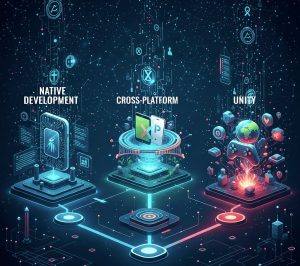
✔This blog explores Native Development, Cross-Platform, and Unity app development, highlighting their benefits, drawbacks, and best use cases for mobile apps and games.
-
✔Consider key factors including performance, target platforms, budget, timeline, and development expertise, ensuring the right approach aligns with your project goals.
-
✔Webo 360 Solutions helps businesses design, develop, and maintain high-performing, scalable, and engaging mobile apps that deliver real results.
Surprising fact: people spent almost 16 billion hours using mobile apps in 2023, and that scale shapes every choice you make for your next product.
You need a clear path that balances user needs with business limits like quality, cost, and time. This guide gives a simple, practical definition of native app development, cross-platform app development, and Unity, then compares them on performance, cost, timelines, scalability, and user experience so you can pick the right route for your product.
In short: Choose native development when platform-specific speed, deep hardware access, and immediate OS features matter most (for example, a professional photo editor or a banking app). Pick cross-platform when you must reach iOS and Android quickly with a shared codebase—typical for a marketplace MVP or many consumer apps. Consider Unity for 3D, AR/VR, or graphics-heavy experiences where a game engine delivers the rendering and physics you need.
How to use this guide: Skim the Key Takeaways for quick recommendations, read the head-to-head comparisons for technical trade-offs, and jump to Real-World Use Cases to see which approach matches your audience and goals. You’ll also find pros and cons, decision checklists, and practical next steps to help you plan development, prototyping, and long-term maintenance.
Explore our services to find the right approach for your product and get expert help mapping requirements to a development plan.
Key Takeaways
- Start by defining your audience, success metrics, and device expectations before picking an approach—those choices shape development and long-term maintenance.
- Use native app development for top-tier performance, deep hardware access, and platform-consistent UX when those characteristics are product-critical.
- Choose cross-platform app development to shorten development time and reduce duplication when you need to reach iOS and Android quickly with a shared codebase.
- Pick Unity for real-time 2D/3D, AR/VR, or visual-heavy experiences where a game engine’s rendering and physics are a clear advantage.
- Weigh programming languages, vendor support, and tooling early to reduce costly pivots; plan for prototyping and mobile app testing to validate choices.
- This guide includes practical comparisons, real-world examples, and a decision flow to help align technology with your audience, team skills, and budget.
What Native Development Is and How It Works
When you target one operating system, you write code that compiles and links directly against its SDKs and hardware interfaces, giving you predictable performance, tight security, and immediate access to new OS features.
Native app development means using platform-specific programming languages and official vendor tools. Android projects typically use Kotlin or Java and the Android SDK; iOS projects use Swift or Objective-C and Xcode with Apple SDKs. Native mobile builds go through platform compilers and toolchains to produce binaries (or bytecode with AOT/JIT where applicable) that run directly on the device, minimizing abstraction layers between your code and the operating system.
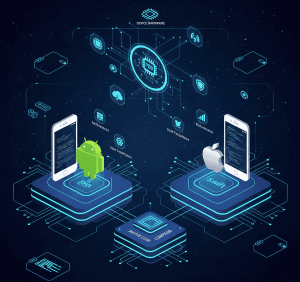
Because native code runs closer to the device, you get low-latency access to cameras, GPS, sensors, and secure hardware (for example, Apple’s Secure Enclave or Android’s hardware-backed keystore). That direct access avoids bridging layers and helps with tight performance paths, hardware-accelerated codecs, and more reliable security primitives.
At runtime, UI rendering and event loops typically execute on the platform’s main/UI thread while background tasks run on dedicated worker threads or dispatch queues. Understanding this runloop model is central to keeping animations smooth and networking responsive. Native apps also integrate well with local databases and storage (Core Data/SQLite on iOS, Room/SQLite on Android), enabling robust offline behavior for your mobile app in airplane mode or poor connectivity.
- Native projects use official tools and SDKs for first-class integration with the operating system and predictable upgrade paths.
- Direct hardware access and platform compilers allow you to profile and optimize hotspots—CPU-bound algorithms, media pipelines, or tight UI animations—using platform profilers.
- Maintaining separate codebases increases coordination and development effort, but it yields predictable behavior and the highest fidelity UX when needed.
Aspect |
iOS (Objective-C / Swift) |
Android (Kotlin / Java) |
|---|---|---|
| Tooling | Xcode, Apple SDKs, App Store workflows | Android Studio, Android SDK, Play Console |
| Hardware Access | Direct sensor access; Secure Enclave for key protection (entitlements required) | Direct sensor access; hardware-backed keystore and keymaster |
| UI | Platform-native UI (UIKit / SwiftUI) with native rendering pipelines | Material design with native rendering (View system / Jetpack Compose) |
| Offline & Storage | Core Data / SQLite; background fetch and reliable offline support | Room / SQLite; WorkManager for background sync and persistence |
Practical notes for your project: plan mobile app prototyping to validate interaction models early (especially for iPhone app development vs iPad app development, where size classes and multi-window support differ), and build a mobile app testing matrix that covers representative devices. If you need expert help mapping platform choices to requirements, contact us for guidance on native app development strategy and iPhone/iPad app planning.
Cross-Platform and Unity at a Glance
Cross-platform tools let teams write most app code once and ship to multiple operating systems fast.
Cross-platform app development centers on a shared core codebase so you can target Android and iOS with less duplicate work. Leading frameworks include Flutter, React Native, and Kotlin Multiplatform—each makes different trade-offs between how much UI you share and what remains platform-specific.
At a high level, these approaches differ technically. Flutter ships its own rendering engine (Skia) and renders UI consistently across devices; React Native maps many UI components to native widgets through a bridge; Kotlin Multiplatform shares business logic while letting you write native UI per platform. You still integrate with platform SDKs via plugins, bindings, or Kotlin’s expected/actual model to access device features like cameras, payments, push notifications, and sensors.

How cross-platform frameworks access device features
All cross-platform approaches rely on some mechanism to reach native platform APIs:
- Plugins/packages — reusable community or vendor libraries that wrap native SDKs (camera, payments, analytics).
- Bridges/bindings — a runtime bridge (React Native) or generated bindings (Flutter plugins) that forward calls to native code.
- Expect/actual — Kotlin Multiplatform’s technique to declare an expected interface in shared code and implement actual platform-specific code.
Example (conceptual) — invoking the camera from different stacks:
React Native: Camera.open() → bridge calls native camera module
Flutter: CameraController.pickImage() → plugin uses platform channels to invoke native code
Kotlin MP: shared.imagePicker() → actual implementations in iOS/Android modules call native SDKs
When Unity makes sense
Unity excels for real-time 2D/3D, physics, and AR/VR. It provides a managed runtime (C#), a comprehensive asset pipeline, and cross-platform rendering. Pick Unity when interactive visuals, simulations, or training apps benefit from a game engine runtime rather than typical native UI workflows.
Approach |
Strengths |
When to pick |
|---|---|---|
| Flutter / React Native | Fast UI iteration, large plugin ecosystems, shared code for UI and logic (Flutter), native widget mapping (React Native) | MVPs, consumer apps, apps where consistent UI and fast iteration matter |
| Kotlin Multiplatform | Shared business logic with native UI per platform; tight SDK access and smaller runtime overhead | Apps needing deep platform integration and native UI fidelity |
| Unity | Real-time 3D, AR/VR, advanced rendering, physics engine, and powerful visual tooling | Games, visualizers, simulations, immersive apps with heavy graphics |
Trade-offs at a glance
Use this short checklist to match trade-offs to your priorities:
- If you need the fastest time to market and wide feature parity, prefer cross-platform app development.
- If you need a native look-and-feel per OS with minimal runtime overhead, choose Kotlin Multiplatform or native app development.
- If your app is 3D-first or requires advanced physics/AR, pick Unity and accept a larger runtime and potential licensing/size costs.
Small sample plugin considerations evaluate plugin maturity, maintenance frequency, and whether a native hot path will be required for heavy media processing. If you’d like help evaluating frameworks or building a cross-platform prototype, Contact us for cross-platform app development advice or to evaluate a cross-platform prototype.
Head-to-Head Comparison: Performance, User Experience, and Security
Choosing the right tech affects how fast, smooth, and secure your app feels in users’ hands — and those differences matter to retention, ratings, and cost.
Performance
Expect the best raw speed from platform-specific builds. Native apps compile (or AOT-compile) into binaries or optimized runtime forms that sit closest to the OS and GPU pipelines. That reduces abstraction layers and gives you lower latency for rendering, faster I/O, and tighter thread control — important for high-frame-rate animations, low-latency audio, and media processing.
Cross-platform frameworks and Unity have closed the gap. Flutter’s Skia engine renders efficiently, React Native minimizes many UI costs by leveraging native widgets, and Unity runs on an optimized native runtime for graphics workloads. However, cross approaches can introduce bridge overhead, larger runtimes, or GC pauses that you should measure early.
What to measure (performance checklist)
- Startup time (cold and warm) — measure seconds to interact on representative devices.
- Animation frame rate and jank — target 60fps or an acceptable lower-bound per product.
- CPU / GPU utilization during heavy tasks — profile media, physics, or rendering hotspots.
- Memory footprint and GC behavior — watch for spikes on lower-end devices.
- Battery and thermal impact — long-running background tasks can throttle performance.
Tools to use: Xcode Instruments, Android Profiler + Systrace, Flutter DevTools, React Native performance monitors, and Unity Profiler. Profile on real devices early — emulators and simulators rarely show true battery, thermal, or GPU behavior.
User experience
Platform-consistent UI often feels more polished. Users expect familiar gestures, native micro-interactions, and accessibility behaviors. Native apps give you direct access to platform UI toolkits (UIKit/SwiftUI or Android Views/Jetpack Compose) for precise control over animations, transitions, and accessibility semantics.
Cross-platform stacks often provide near-native UX. Flutter can be styled to match platform conventions, React Native can call native widgets, and Kotlin Multiplatform lets you keep native UI while sharing logic. The trade-off is how much platform-specific polish you’re willing to add. For brand-consistent apps, a shared UI layer can simplify design but may require custom per-platform tweaks for high-fidelity interactions.
What to measure (UX checklist)
- User flows completion time — measure key task success metrics in prototypes and beta tests.
- Perceived responsiveness — gather subjective metrics (user ratings) and objective UI frame stability.
- Accessibility coverage — test with VoiceOver/TalkBack and platform accessibility tools.
- Form factor behaviors — test iPhone vs iPad differences (size classes, multi-window), and varied Android screen sizes.
Security
Secure apps are achievable with any approach — but implementation details differ. Native SDKs expose OS-level security features directly (Secure Enclave, Keychain on iOS; hardware-backed Keystore and Keymaster on Android). That direct access simplifies strong key management, biometric auth, and platform hardening.
Cross-platform frameworks support the same security primitives via well-maintained plugins or native modules, but you must audit plugin code, keep third-party libraries updated, and ensure secure configuration across both stores. Unity accesses native features through plugins as well; the security posture depends on the plugin quality and how you wire platform-specific code into the engine.
Security checklist
- Use Keychain / Keystore for secrets and prefer platform-backed secure storage.
- Enable certificate pinning and TLS best practices for network calls.
- Obfuscate critical logic and enable platform-supported code protections.
- Audit third-party plugins/libraries and track CVEs for dependencies.
- Pen-test critical flows and include runtime protections where required.
Aspect Platform |
Specific builds |
Cross-platform / Unity |
How to Mitigate |
|---|---|---|---|
| Startup time | Typically smallest — optimized binaries | Can be larger due to engine/runtime overhead | Profile cold start; lazy-load modules; trim assets |
| Animation / Frame rate | Best control for 60fps+ on target devices | Near-native often; heavy scenes may require native hot paths | Profile with platform profilers; offload heavy tasks |
| Battery & Thermal | Optimizable per OS with native APIs | Runtime/engine costs can increase consumption | Optimize render loops; reduce background work |
| Memory footprint | Predictable per-platform | Higher for runtimes/engines on some devices | Measure on low-end devices; reduce asset sizes |
| Security | Direct OS features & entitlements | Depends on plugin quality & configuration | Use keychain/Keystore, audits, and secure coding standards |
If you want a custom, measurable assessment, Contact us for a performance audit or to learn more about profiling services that identify hotspots and give a remediation plan tailored to your app and target devices.
Time to Market, Development Cost, and Team Skills
Speed to market often decides whether your app wins early adopters or falls behind competitors. When you plan your roadmap, balance timelines, hiring realities, and measurable success metrics so you pick the right trade-offs for your audience and product.
Development time: Lifecycles and delivery
Cross-platform approaches normally let one team develop a shared codebase and reduce duplicate testing, which typically shortens development time and gets your app into users’ hands faster. For many consumer apps and MVPs, this can shrink delivery from months to weeks for initial releases.
By contrast, native app development requires parallel lifecycles for iOS and Android. That can double QA effort and release pipelines and extend overall development time if you aim for parity across platforms.
Cost drivers: Budgets and maintenance
Maintaining two separate native codebases usually increases initial and ongoing costs; two specialist teams, duplicated CI/CD pipelines, platform-specific tooling, and parallel QA all add up. Expect higher staffing and tooling bills over the app’s lifetime.
Cross-platform app development can lower initial development costs by sharing business logic and UI code. Still, budget for plugin integration, native hot paths for heavy processing, and occasional platform-specific work. Unity-based projects may also introduce license fees, larger binary sizes, and specialized asset costs for graphic-heavy experiences.
Developer expertise: Hiring and learning curves
Hiring availability varies by region. In many markets, there’s a broad pool of Kotlin/Java and Swift developers, which can make it easier to staff native teams. Cross-framework expertise (Dart for Flutter, React for React Native, or Kotlin Multiplatform) is growing but can be more limited in some areas, affecting recruiting timelines and cost.
Structure your team with product managers, designers, platform engineers, QA, and release engineers. Factor in ramp-up time for unfamiliar frameworks and pilot a small scope—use mobile app prototyping to validate UX and mobile app testing to validate performance—before committing to full-scale development.
Factor |
Cross-platform |
Native |
|---|---|---|
| Time to market | Faster — single codebase reduces duplicate work | Slower — parallel cycles and duplicated QA |
| Cost | Lower initial dev cost; account for plugin & integration overhead | Higher initial and maintenance costs across two codebases |
| Hiring (U.S.) | Mixed availability; some frameworks are less common | Broader talent pool for platform-specific developers |
Illustrative staffing & timeline examples (use as starting points)
- Small MVP (cross-platform): 3–5 people (product manager, designer, 2 devs, 1 QA) — 8–12 weeks to first release (illustrative).
- Medium App (native iOS + Android): 6–10 people (2x platform devs, backend, QA, PM, designer) — 4–6 months to parity release (illustrative).
- Graphical/Unity App: 4–8 people, including artists and C# developers — 3–9 months depending on scope and assets (illustrative).
These ranges are illustrative—project complexity, integrations, and non-functional requirements (security, compliance, offline capability) materially affect timelines and cost. Use a short prototyping phase to validate architecture and measure development velocity.
Need a tailored estimate? Contact us to estimate development time and cost for your specific product and get a practical plan that includes mobile app prototyping and testing phases.
Scalability, Maintenance, and Long-Term Viability
Choose an approach that keeps your app healthy as platforms evolve, user demand grows, and your product requirements change.
Following platform-specific upgrade paths gives you predictable operating system support and clearer migration guidance when vendors release breaking changes or new capabilities. That predictability makes scheduling feature releases and security patches simpler for your team.
Framework maturity matters. Evaluate vendor backing and community adoption before you commit. JetBrains actively supports Kotlin Multiplatform, Google backs Flutter, and Meta maintains React Native. Mature ecosystems and active maintainers reduce the risk of sudden API churn and give you more reliable tooling and third-party libraries.
Maintainability and upgrade planning
Shared code can cut costs and speed for many apps, but it requires disciplined upgrade planning. Frameworks and plugins evolve — plan for periodic framework upgrades, compatibility testing, and plugin audits to avoid surprises.
Design modular code, version your APIs, and use feature flags so you can roll out changes safely. These practices make refactors less risky and let multiple teams scale without chaotic merge conflicts.
- Track OS and framework roadmaps in parallel so you can align releases and avoid last-minute fixes.
- Vet plugin ecosystems for activity, release cadence, and maintenance velocity before adopting them.
- Document platform-specific code and clearly mark native boundaries so new developers can onboard quickly.
CI/CD, testing, and tooling recommendations
Invest in platform-aware CI/CD and automated testing to reduce long-term maintenance costs:
- iOS + Android pipelines: Separate, reproducible build steps for each platform with per-branch signing and environment configs.
- Automated device farms and emulators: Run regression suites across a matrix of devices, OS versions, and form factors (include low-end Android devices and iPad variants).
- Unity build servers: Cache assets and use deterministic builds to speed iterations for graphics-heavy projects.
- Automated dependency checks: Integrate tooling to flag vulnerable or out-of-date plugins and libraries.
Versioning and upgrade checklist
- Inventory all framework and plugin dependencies and assign owners.
- Track upcoming OS releases and test release candidates in a staging environment.
- Create a compatibility branch that runs full integration tests when upgrading a framework version.
- Plan a mitigation window and rollback strategy for critical upgrades.
- Document breaking changes and required migration steps in your internal developer wiki.
Mobile app maintenance best practices
Define SLAs and monitoring metrics that reflect product health and user experience. Useful indicators include crash-free user rate, average time to crash resolution, ANR rates (Android), and adoption of critical security patches.
- Set a release cadence (security patches, maintenance releases, feature sprints) and communicate it to stakeholders.
- Monitor performance and stability in production with tools like Sentry, Firebase Crashlytics, or platform-native analytics.
- Allocate budget for ongoing mobile app maintenance, continuous testing, framework upgrades, and device lab time.
Concern |
Platform-specific builds |
Cross-frameworks |
|---|---|---|
| OS release support | Immediate — vendor-documented upgrade paths | Depends on framework updates and bridge layers; may lag after major OS changes |
| Maintenance cost | Higher per-platform but predictable | Lower shared-code cost; occasional framework refactors and plugin work |
| Risk of dependency churn | Low — official SDKs maintained by platform owners | Medium — plugin or framework deprecation risk; requires active monitoring |
| Reach and distribution | Separate store builds and tailored app experiences | One codebase simplifies multi-store distribution, but platform-specific adjustments may still be needed |
Involve your developers early in long-term support plans, build robust CI/CD and monitoring, and maintain clear documentation that covers both platform-specific and shared code.
If you need help designing an operational plan or ongoing mobile app maintenance program, explore our services for long-term maintenance planning and implementation.
Native Development Pros and Cons for Modern Mobile Apps
When your product demands the sharpest performance, closest OS integration, and the most predictable platform behavior, a platform-first (native) approach is often the clearest path.
Pros
Peak performance: Native apps compile (or AOT-compile) into optimized binaries that run close to the OS and GPU. That gives lower latency for rendering, faster I/O, and predictable CPU/GPU utilization — critical for high-frame-rate UI (60fps+), low-latency audio, and heavy media processing pipelines.
Intuitive UX: By using standard UI toolkits (UIKit/SwiftUI on iOS, Views/Jetpack Compose on Android), you get native gestures, platform-specific micro-interactions, and accessibility semantics out of the box — all of which make the application feel polished and familiar to users.
Full hardware access: Direct access to cameras, sensors, Bluetooth, and secure hardware (for example, iOS Secure Enclave or Android hardware-backed keystore) lets you implement advanced device features and strong device-bound security without middleware. security without middleware.
Note: Some capabilities may require entitlements or platform permissions.
Offline strength and background processing: Native APIs for background sync, WorkManager (Android), and background fetch (iOS) let you build reliable offline-first behaviors and predictable background work scheduling that keeps the mobile app useful in poor connectivity.
Rapid OS feature adoption: When a platform releases new APIs (ARKit updates, new camera APIs, or platform-level privacy features), native developers can adopt them immediately without waiting for a framework bridge or plugin update.
Cons
Higher cost: Building and maintaining separate native apps increases initial development and long-term maintenance costs because you often need two specialized teams, duplicated tooling, and parallel QA efforts.
Longer timelines: Separate release cadences and platform-specific regression testing typically extend time to market if you want feature parity across iOS and Android.
Larger teams and coordination: Native development requires platform specialists and more cross-team coordination (design, QA, product) to keep behavior consistent across platforms.
Risk of logic drift: Without shared business-logic specs, tests, or common back-end contracts, duplicated codebases can diverge over time, producing inconsistent behavior across platforms.
- Mitigate drift with shared API contracts (OpenAPI), automated integration tests, and synchronized sprint planning across platform teams.
- Use cross-platform test suites for business logic where feasible, and centralize feature flagging and telemetry to compare behavior.
Measurable benefits and examples
When you need measurable improvements, native development can deliver:
- Higher sustained frame rates and lower animation jank (helps in gaming or high-interaction tools).
- Lower latency for camera pipelines and real-time audio processing (important for pro photo editors or live-streaming apps).
- More predictable battery and thermal profiles when optimized per OS (critical for long-duration apps like navigation or fitness tracking).
Example features that typically require native implementation or native hot paths real-time audio mixing, custom camera pipelines (RAW processing, GPU-accelerated filters), low-latency sensor fusion for AR, and advanced background sync for offline-first enterprise apps.
Testing matrix and mitigation templates
To keep native projects maintainable and consistent, implement a test matrix that includes:
- Device coverage across representative iPhone (including iPhone/iPad split) and Android tiers (flagship, mid-range, low-end) and OS versions.
- Automated unit tests for business logic, UI integration tests (XCUITest, Espresso), and end-to-end tests using a device farm.
- Performance benchmarks (startup time, average frame rate, memory usage) captured in CI and compared against thresholds.
Sample mitigation: When you discover divergent behaviors, open a cross-platform ticket that includes repro steps, telemetry links, and suggested fixes so both platform teams can coordinate resolution within the same sprint.
Area |
What you gain |
What to plan for |
|---|---|---|
| Performance | Best-in-class rendering & low latency for animations and media | Profile native hotspots; allocate time to implement native hot paths for heavy processing |
| Hardware & features | Immediate access to sensors, secure storage, and new OS APIs | Validate entitlements, permission flows, and privacy requirements |
| Offline & reliability | Robust local storage and native background sync | Test offline and background flows per platform across devices |
| Cost & time | Premium UX and predictable platform behavior | Higher budgets, longer schedules, and a need for platform specialists |
If you’re evaluating whether native is worth the investment for your product, Contact us to evaluate the ROI of native app development, and we’ll help map expected performance gains, development requirements, and a testing matrix tailored to your application and audience.
When to Choose Each Approach
Decide by weighing performance needs, delivery time, and the audience you plan to serve. Use simple criteria to match the right route to your goals — this short decision flow helps you find the best fit quickly.
Quick decision flow (5 questions)
- Is peak performance, low-latency rendering, or deep hardware access mission-critical? If yes, favor native app development.
- Do you need to reach both iOS and Android fast with a limited budget and one engineering team? If yes, favor cross-platform app development.
- Is your product 3D-first, AR/VR, or dependent on a physics/graphics engine? If yes, choose Unity.
- Do you want native look-and-feel but shared business logic? Consider a hybrid approach, such as Kotlin Multiplatform or shared services with native UI.
- If you’re unsure, plan a short MVP/prototype and measure performance, development time, and user feedback before full investment.
When native development is the best choice
Pick native app development when your application demands the highest frame rates, tight offline reliability, or low-latency media/sensor pipelines. Native mobile routes are also preferable when your audience concentrates on one platform (for example, iPhone-first markets) and expects platform-polished UX.
When is cross-platform app development more suitable
Pick cross-platform when you need to build, iterate, and ship quickly to both iOS and Android while controlling cost and team size. Cross-platform development is ideal for marketplaces, consumer apps, and many B2B products where business logic can be shared, and UI fidelity can be tuned per platform.
When Unity shines for your application
Pick Unity for real-time 2D/3D, AR/VR, simulations, training apps, or any product where rendering, physics, and asset pipelines are primary concerns. Unity’s runtime and tooling accelerate visual iteration but can increase binary size and require specialized developers.
Hybrid approaches and sample architectures
If you want a balance — native UI with shared business logic — consider these architectures:
- Kotlin Multiplatform + Swift UI / Jetpack Compose: Share business logic, keep native UI and platform-specific integrations.
- Shared backend with native frontends: Centralize APIs and feature flags, implement platform-specific UX locally.
- React Native or Flutter with native modules: Use a cross-platform UI for most screens and implement native hot paths for performance-critical features.
Hybrid patterns reduce duplicate logic while preserving platform fidelity where it matters most.
- Pilot an MVP to validate performance and UX before committing to full-scale native or engine-based development.
- Factor hiring, learning curves, and long-term maintenance when you choose a path; match the approach to your product roadmap and team strength.
Need |
Best fit |
Why |
|---|---|---|
| Peak performance & OS features | Native app development | Direct APIs, low latency, immediate OS support |
| Fast, cost-conscious multi-platform launch | Cross-platform development | Shared codebase, quicker iterations, lower initial cost |
| Immersive 3D or AR/VR | Unity | Engine-based rendering, physics, and tooling |
Want personalized guidance? Learn more with a free 30-minute consultation to map the right approach to your product goals and estimate development time and effort.
Real-World Use Cases and Examples
Real use cases show how teams match technical choices to product needs, audience expectations, and long-term costs.
Native apps: High-complexity, feature-rich releases
When to pick this: Choose a native app for high-frequency banking, clinical healthcare systems with strict offline and compliance rules, or advanced media editors that demand top-tier performance, low-latency media pipelines, and direct sensor access.
Example (anonymized): A photo-editing product that processes RAW images on-device and needs GPU-accelerated filters saw a 30% reduction in processing latency after switching critical pipelines to native code. Many U.S. teams also launch iOS apps first when their audience skews Apple — that can give faster access to iPhone/iPad-specific capabilities and tighter platform polish.
Cross-platform apps: Broad reach and fast MVPs
When to pick this: Build a cross-platform app when you must reach both iOS and Android quickly, validate product-market fit, and keep business logic in a single codebase to minimize duplication—typical for marketplaces, consumer apps, and internal productivity tools.
Example (anonymized): A marketplace MVP built with a cross-platform app development framework launched in eight weeks and validated demand on both platforms; later, native modules were introduced only for payment flows and an intensive image-processing hotspot.
Unity apps: Immersive and 3D-first products
When to pick this: Use Unity for training simulations, retail configurators, AR/VR tours, or any product where 3D scenes, physics, or real-time rendering drive the experience. Unity reduces iteration time for visuals and provides a mature asset pipeline for artists and developers.
Example (anonymized): A retail configurator built in Unity allowed the team to deliver photorealistic previews across devices and shortened visual iteration cycles by using the engine’s editor and asset pipeline.
- Consider a hybrid approach (native UI + shared business logic) to reduce duplication while preserving platform feel and performance where it matters.
- Scope features early—push notifications, camera flows, secure storage, and payments often require platform-specific work or vetted plugins.
- Plan device and OS testing across high-end and budget phones as well as tablets (iPhone vs iPad splits) when your product targets mixed markets.
Checklist to choose for your use case
- Is peak performance or low-latency processing required? → Native app or native hot paths.
- Do you need fast multi-platform reach and lower initial cost? → Cross-platform app development.
- Are immersive visuals or physics core to the product? → Unity.
- Do you want native UX but shared logic? → Hybrid (Kotlin Multiplatform, shared services).
Need |
Best Fit |
Example |
|---|---|---|
| Peak performance & OS features | Native app | Banking, media editor (high-performance camera pipeline) |
| Fast, wide launch | Cross-platform app | Marketplace, internal tools (MVP validation) |
| Immersive visuals | Unity | AR/VR training, 3D configurator |
If you want case-study-based recommendations tailored to your product, contact us for a review that maps performance, cost, and team requirements to the right approach for your app and audience.
How Webo 360 Solutions Can Help You Decide and Build

-
✔Simplified App Development Guidance: We help businesses of all sizes choose the right approach—Native Development, Cross-Platform, or Unity—based on project goals, target audience, and budget.
-
✔Native App Development: Ideal for projects needing high performance and seamless iOS or Android experiences.
-
✔Cross-Platform App Development: Ensures faster deployment across multiple platforms with consistent functionality and cost efficiency.
-
✔Unity App Development: Perfect for game apps or highly interactive 3D applications, delivering immersive experiences.
-
✔End-to-End Support: Includes mobile app prototyping, testing, and maintenance to ensure flawless performance from launch and scalability as your business grows.
-
✔Customized Solutions: We transform your idea into a high-quality mobile app tailored to your audience’s needs.
Ready to build your next mobile app? Contact Webo 360 Solutions Today for a consultation and let our experts bring your vision to life.
Conclusion
Close the loop: align the technology you choose with measurable goals (performance, time to market, cost, and user satisfaction) and run a short pilot to test assumptions before full-scale development.
Keep it practical. If your product requires top-tier performance, low-latency media/sensor pipelines, or immediate access to new OS features, favor platform-specific paths and native programming languages such as Objective-C and Swift for iOS hot paths and Kotlin/Java for Android. If rapid delivery, shared business logic, and lower initial cost matter more, evaluate a cross-platform app development approach using mature frameworks.
Pick Unity or similar engines when real-time 3D, AR/VR, or advanced physics and rendering are core to the product. Document your architecture, track OS and framework upgrades, and match the choice to your team, hiring pipeline, and long-term maintenance plan.
Actionable next steps (3–5 minute checklist)
- Define success metrics target frame rate, startup time, crash-free user rate, and expected user tasks per session.
- Map requirements to technical needs list hardware access, background sync, offline behavior, and compliance constraints.
- Run a short prototype (mobile app prototyping) or spike for the riskiest path—native hot path, plugin integration, or Unity rendering—to measure real device performance.
- Estimate development time and cost for two approaches (native vs cross-platform or Unity) and include maintenance and device testing in the estimate.
- Decide and pilot pick the smallest scope that validates critical assumptions, measure metrics, then iterate.
Start small, measure UX and performance, then iterate. That pragmatic approach delivers reliable value to users on schedule while protecting your budget and long-term viability.
Next step — get tailored help: Learn more with a free 30-minute consultation to map the right approach to your product goals, estimate development time and cost, and design a maintenance plan that matches your team. Contact us for guidance or to explore our services.
FAQ
What are the main differences between native app development, cross-platform app development, and Unity?
Native app development uses platform-specific languages and SDKs (Kotlin/Java for Android; Objective-C/Swift for iOS) to deliver the closest integration with OS features and hardware, typically yielding the best performance and fidelity.
Cross-platform app development (Flutter, React Native, Kotlin Multiplatform) shares code across iOS and Android to speed delivery and reduce duplicate work, with different trade-offs in UI rendering and plugin reliance.
Unity is a game engine optimized for 2D/3D and AR/VR scenarios; it excels at graphics and physics but can add runtime size and require specialized developers.
How does platform-specific coding affect performance and responsiveness?
Platform-specific coding runs closer to OS and GPU pipelines and avoids abstraction overhead, which usually improves startup times, reduces frame drops, and gives tighter control over threading.
Cross-platform frameworks can approach native-like performance for many apps, but heavy media, physics, or graphics workloads are often best handled with native hot paths or engine-based solutions like Unity. Early profiling on real devices is essential.
When should you choose a cross-platform framework like Flutter or React Native?
Choose cross-platform when you need a faster time to market, want to keep one engineering team productive across platforms, and your app does not require peak hardware performance. These frameworks work well for marketplaces, content apps, many B2B tools, and MVPs. Plan for plugin vetting and the occasional native module for performance-critical paths.
In what scenarios is Unity the best fit?
Use Unity when immersive visuals, complex 3D scenes, AR/VR, or physics-driven interactions are central to your product. Unity reduces iteration time for visuals through its editor and asset pipeline and provides cross-platform rendering optimizations. For standard mobile UI-driven apps, Unity may be overkill.
How do security and access to device features compare across approaches?
Native SDKs give direct access to OS security features (Keychain, Secure Enclave, Keystore) and entitlements, simplifying secure implementations. Cross-platform frameworks expose those features via plugins or native modules; you must validate plugin quality and keep dependencies updated.
Unity provides native feature access through plugins as well; its security depends on how native integrations are implemented and audited.
What should you expect for development time and cost between the options?
Expect longer timelines and higher ongoing costs for separate native iOS and Android codebases due to duplicated development and QA.
Cross-platform app development typically reduces initial development time and cost by sharing code and CI/CD, but factor in plugin integration and native hot paths when needed.
Unity projects can require additional costs for assets, specialized developers, and potentially engine licensing, though they speed visual development for graphics-first products.
How do hiring and team skills influence your platform choice?
Team skills are a major factor: platform specialists (Objective-C/Swift, Kotlin/Java) are common in many markets and are the right fit for native app development.
Cross-platform requires skills in Dart, React, or Kotlin Multiplatform, and may reduce headcount needs.
Unity requires C# and game-engine experience. Consider your local hiring market, training time, and long-term support plans when choosing.
How should you decide which approach fits your product and audience?
Base your decision on clear product goals: prioritize native app development for mission-critical performance and platform fidelity, choose cross-platform app development for speed and cost-efficiency across devices, and pick Unity when immersive graphics or physics are core.
Run a short prototype, measure development time and performance on real devices, and select the path that balances your audience expectations, team capabilities, and budget.
Can you provide sample timelines and cost ranges?
While estimates vary by scope, here are illustrative ranges (high-level):
– Small MVP (cross-platform): 2–3 months, small team (3–5 people).
– Medium app (native iOS + Android): 4–6 months to parity, larger team (6–10 people).
– Graphics/Unity app: 3–9 months depending on asset and visual complexity.
These are starting points—use prototyping to refine time and cost estimates for your product.
What about long-term maintenance and OS updates?
Native apps get immediate access to new OS features and clearer upgrade paths, which simplifies timely adoption of platform changes.
Cross-platform tools depend on framework updates and community support; mature frameworks generally keep pace, but you may encounter temporary gaps after major OS releases.
Unity’s vendor backing helps for its supported platforms, but you’ll still track engine updates and plugin compatibility.
Can cross-platform apps match native user experience?
Many cross-platform frameworks let you deliver a platform-consistent UI or tailor the interface per OS. For standard interactions, users often won’t notice differences.
However, for deeply platform-specific gestures, animations, or accessibility expectations, native UI offers finer control and a more intuitive feel without additional adaptation work.
What are the trade-offs in performance when using a shared codebase?
Shared codebases speed development and reduce duplication, but some runtime overhead or abstraction layers can affect CPU- or graphics-intensive functions.
Modern frameworks optimize common paths and provide native modules for heavy tasks; still, if peak performance is critical, platform-specific implementations often yield the best results.
Are there common real-world examples for each approach?
Yes. Enterprise-grade banking or media apps with intense performance and security needs often use platform tools for iOS and Android. Marketplace apps, MVPs, and many SaaS mobile front ends frequently use Flutter or React Native to accelerate release and maintenance.
Games, AR training apps, and 3D visualization products commonly rely on Unity for its rendering and tooling strengths.