

WebGPU Browser Support In 2026: Chrome, Firefox & Safari Compatibility Guide
Surprising fact: In 2026, every major browser reports baseline support for this next‑gen GPU API. That milestone changes how you build high-performance web apps.
This guide explains what the milestone means for users in the United States. You’ll get clear guidance for enterprise Windows fleets, macOS developer laptops, and mobile-heavy audiences. The focus covers:
- Chromium-based browsers
- Firefox
- Safari
- desktop and mobile,
- iPadOS and visionOS considerations.
Many United States developers are actively evaluating. WebGPU browser support is in demand as the need for faster graphics, AI inference, and real-time processing in modern web applications.
Expect Practical Guidance:
When to adopt WebGPU versus keeping WebGL, how to detect features and add fallbacks, and which platform caveats matter. You’ll learn minimum versions, implementation differences (Chromium Dawn, Firefox wgpu, Safari WebKit), and a step-by-step shipping plan that uses progressive enhancement.
Why it matters: This API is compute-capable, not just for 3D rendering. It unlocks major performance wins for parallel tasks when you manage data transfer and GPU limits correctly.
WebGPU browser support in 2026: Chrome 113+, Firefox 147+, and Safari on macOS/iOS/iPadOS/visionOS 26+ provide baseline support. WebGPU browser support is becoming a priority for US web applications that depend on high-performance graphics, AI workloads, and real-time data processing.
But driver differences, OS gating, and mobile GPU limits mean developers should still use feature detection and real-device testing before full production rollout in the United States.
Highlights
- Expect baseline WebGPU support across Chrome/Edge/Chromium, Firefox, and Safari in 2026.
- Use feature detection by testing navigator.gpu. Always provide stable fallbacks to prevent your site from breaking.
- Choose WebGPU for heavy compute or modern rendering; keep WebGL for low-risk compatibility.
- Watch implementation differences and driver variability; measure impact with telemetry.
- Follow progressive enhancement and validate on Windows, macOS, Android, iOS, and visionOS.
How to verify right now: Run a one-line check in your browser console: if (navigator.gpu) { console.log(‘WebGPU available’) }. For a production-ready bootstrap and error handling, see the Practical section below.
Ready to test? Check the sample repo for a starter you can copy and paste. It shows requestAdapter(), requestDevice(), and a minimal compute pipeline. Also see our WebGPU web performance optimization guide for advanced tuning strategies and real-world benchmarks.
Planning regionally? Read the California and Texas notes later in this guide to learn how local demand and hiring trends affect WebGPU adoption.
WebGPU In 2026: What It Is And Why You Should Care
Today’s web provides a GPU interface designed for both high-end graphics and fast parallel processing. Now you can run heavy graphics and complex GPU tasks directly in JavaScript. There is no need to switch to native code.
Why this matters: The API gives you explicit control over adapters, devices, queues, bind groups, and pipelines. This explicit model cuts CPU overhead. It makes complex workloads more predictable on all devices.
WebGPU maps each call to a native backend:
- Direct3D 12 on Windows
- Metal on Apple platforms
- Vulkan is used on supported platforms.
This mapping gives your app access to modern driver features. It optimizes processing paths for faster throughput and lower latency.
The standard evolves via the W3C GPU for the Web working group. Use WGSL as your shader language; its Rust-like syntax improves portability. Tools like Tint and Naga validate and compile WGSL. This ensures your code works consistently across all native backends.
- Use cases: Include AI inference, video processing, and physics simulations. It also powers advanced visualizations and 3D gaming.
- Actionable tip: First, feature-detect. Then, run requestAdapter() and requestDevice(). Finally, log and ensure you have fallbacks ready. Optional extensions and limits vary by implementation.
GPU Acceleration And How It Benefits Modern Web Apps
- AI/ML in-browser: Run model inference on the GPU to keep tensors on-device and reduce round-trips. Expected uplift: 3–8x for inference kernels versus CPU or WebAssembly in many workloads.
- Video editing & processing: Run per-pixel filters and multi-pass effects on the compute pipeline. This lowers CPU load and speeds up exports by 4 to 10 times.
- 3D gaming & visuals: Use explicit pipelines and render bundles to cut CPU overhead for frame submission. This allows you to create richer scenes with higher frame rates.
Quick code hint: A conceptual feature check looks like this:
if (navigator.gpu) { const adapter = await navigator.gpu.requestAdapter(); }. See the Practical section for full, robust examples with error handling.
Want to experiment now? Try the one-line check above in your browser console. For deeper engine insights, read our Dawn and WGPU engine architecture guide and WGSL toolchain overview.
WebGPU Browser Support In Chrome, Firefox, And Safari (2026)
Quick summary: This section covers the minimum versions you need for production GPU access. This overview also clarifies WebGPU compatibility across browsers for production planning. You will also learn how to verify support on real devices.
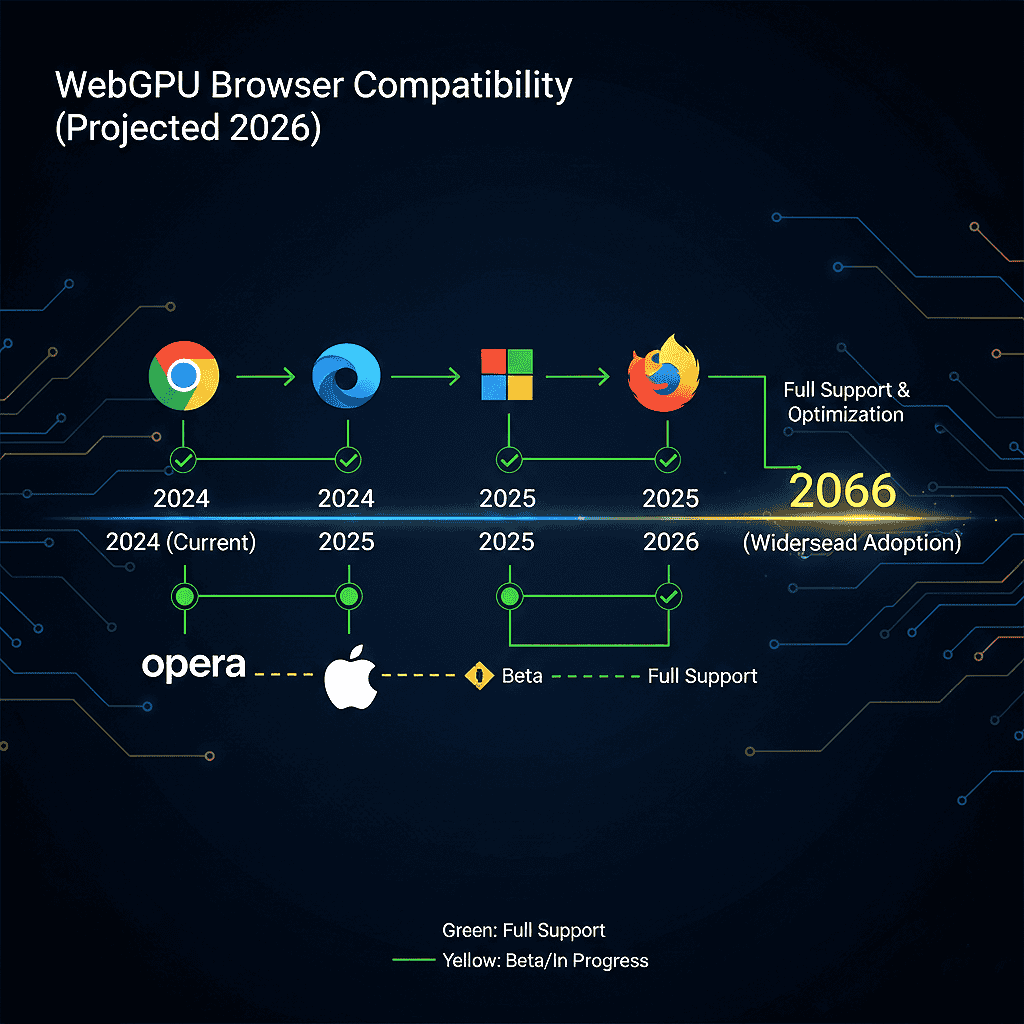
Chromium family: Chrome, Edge, and other Chromium browsers support WebGPU on Windows and macOS. This baseline access began with Chrome 113. Android support reached stable channels with Chrome 121 on Android 12 or higher.
While it covers many Qualcomm and ARM GPUs, driver support still varies by device. Linux is the main exception. Driver and distro coverage is uneven, so you must test specific GPU and kernel combinations.
Firefox: Windows desktop builds have stable support in the recent 140+ channels. For broad, stable coverage across Windows and desktop releases, target Firefox 147 or higher. macOS ARM64 support stabilized in the mid-140s series (check release notes for exact build ties to macOS Tahoe 26). Expect Linux and Android coverage to be more fragmented; plan fallbacks accordingly.
Safari / WebKit: Apple platforms gate WebGPU by OS and WebKit version. Target macOS 26 (Tahoe 26), iOS 26, iPadOS 26, and visionOS 26 or later for the implementation status you need. Remember, every iOS-branded browser uses WebKit, so OS versioning controls access on iPhone and iPad.
For US web applications, it is especially important to validate WebGPU support across real user hardware. Device diversity in the United States remains high, particularly across Windows laptops, Apple Silicon devices, and Android phones.
Compatibility Snapshot (Desktop/Mobile / iOS)
Use this quick compatibility checklist as a starting point for production targeting. Always verify with device-lab testing before wide rollout.
- Chrome / Chromium (desktop): 113+ (stable baseline).
- Chrome (Android): 121+ on Android 12+ (many ARM GPUs).
- Firefox (desktop): Target Firefox 147 or higher for stable coverage on Windows. Linux support may vary depending on the distribution and driver.
- Safari / WebKit (Apple): macOS/iOS/iPadOS/visionOS 26+ (OS-gated; all iOS browsers follow WebKit).
Driver notes: Discrete GPUs from NVIDIA and AMD, along with modern Intel integrated chips, usually offer strong support. But driver bugs and feature limits can vary by operating system. On Android, Mali/Adreno/Vulkan driver maturity affects behavior. Maintain a device matrix and prioritize QA on devices that match your audience.
Mobile Reality Check And Verification
On iOS, brand choice does not change; the engine WebKit and OS version determine availability. Runtime behavior on Android depends on the Chrome version, OS level, and GPU driver. Because of this, you must perform QA on real hardware.
How to check now (quick): Open the browser console and run a minimal feature check:
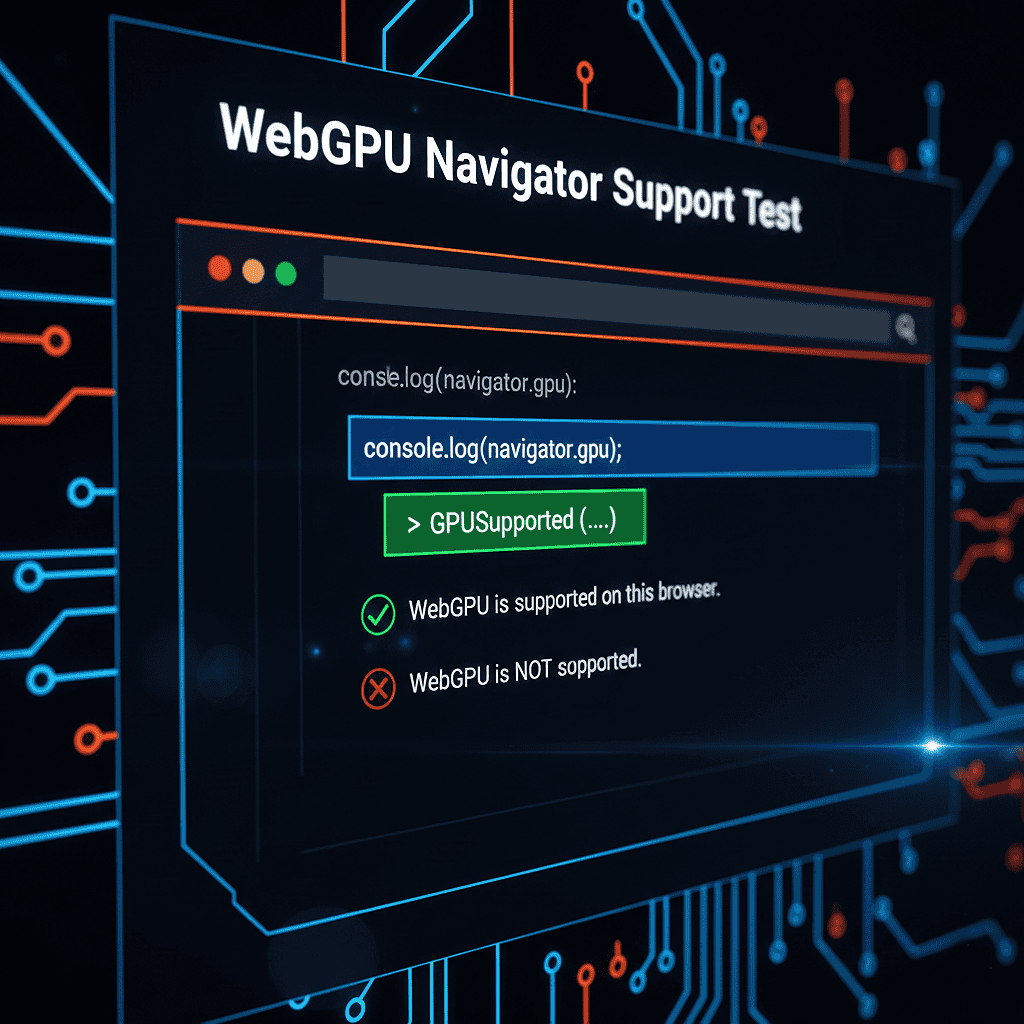
if (navigator.gpu) {
console.log(‘WebGPU available’);
} else {
console.log(‘No WebGPU support — fallback to WebGL or CPU’);
}
Production-ready check (summary): To get started, follow these steps:
- Call navigator.gpu.requestAdapter().
- If the adapter is null, treat it as unavailable.
- Call adapter.requestDevice().
- Handle any failures with a retry or a graceful fallback.
Log events like adapterSuccess and deviceFail. Include device limits and adapter info so you can prioritize fixes by OS and device.
Fallback ladder: GPU → WebGL (or Canvas2D) → CPU/Wasm. Instrument adapter/device acquisition rates, limit values, and failure reasons. Use these metrics to tune your rollouts for US users. You can then target support efforts in tech hubs with high WebGPU demand, such as California and Texas.
Run the quick check in your browser now. Visit the Practical section for a copy-paste bootstrap. You will also find a detailed compatibility table with timelines and adoption-rate guidance.
WebGPU Browser Support In Chrome And Chromium Browsers
Chrome and other Chromium browsers provide the most mature WebGPU browser support in 2026. Stable support began with Chrome 113 on desktop platforms, with broader Android coverage arriving in Chrome 121 on Android 12 or later. Most modern NVIDIA, AMD, and Intel GPUs work well, but Linux distributions and older mobile drivers still require validation. For production use in the United States, always verify adapter and device success rates through telemetry.
WebGPU Browser Support In Firefox
Firefox’s WebGPU browser support has stabilized across recent desktop releases. For conservative production targeting, developers should use Firefox 147 or later on Windows systems. The browser relies on the wgpu ecosystem, which can produce slightly different validation messages compared to Chromium. Linux and Android coverage remain more fragmented, so progressive enhancement and fallback paths are still recommended for US enterprise deployments.
WebGPU Browser Support In Safari And WebKit
Safari and other WebKit-based browsers gate WebGPU browser support primarily by operating system version. Developers should target macOS 26, iOS 26, iPadOS 26, and visionOS 26 or newer. Because all iOS browsers use WebKit, upgrading the OS is more important than switching browser brands. Apple’s Metal backend delivers strong performance, but mobile GPU limits are stricter than on desktop Macs, so careful workload tuning is essential.
Implementation specifics: Chromium V8, Firefox Dawn/wgpu, And Safari WebKit
Understanding engine differences is important. It helps you predict failures and optimize performance for your GPU app.
Chromium’s Stack And Why Dawn Matters
Chromium routes API calls through Dawn, which translates your pipeline and commands to Metal, D3D12, or Vulkan. This translation improves portability. It ensures your shader and command code behave consistently across all platforms and drivers.
Dawn works as a standalone layer. This lets you reuse test cases and debug flows across web and native builds. That reduces diagnosis time when a shader compiles on one OS but not another. For engine-level bugs, track upstream Dawn issues and tie repro cases to specific driver versions.
Firefox’s WGPU Path And Practical Implications
Firefox uses the wgpu ecosystem. This provides pipeline validation and command encoding through high-performance Rust toolchains. Expect subtle behavior differences compared to Chromium. These typically appear in timing, validation messages, and device-loss events.
Keep a conformance scene and compute-pipeline tests for Firefox. Log shader compilation output and device limits to surface regressions early. Use Naga in CI to validate WGSL and catch backend-specific translation issues before runtime.
Safari / WebKit And Apple Platform Notes
Apple maps the API to Metal, so OS version and hardware determine limits and available features. On iPhone and iPad, you’ll encounter stricter GPU limits (memory, max workgroup counts) than on Macs. Design shader modules and pipelines to be small, testable, and tolerant of lower limits.
WGSL And The Shader Toolchain You’ll Use In 2026
Keep shaders modular and validated. Run offline compilation and static validation using Tint or Naga before you ship. This reduces runtime shader errors and speeds up debugging. Integrate shader checks into CI to catch portability issues early.
// Example: compile-check pattern (conceptual)
const shaderModule = device.createShaderModule({ code: wgslSource });
const info = await shaderModule.getCompilationInfo();
if (info.messages.some(m => m.type === ‘error’)) {
console.error(‘WGSL compile errors’, info.messages);
throw new Error(‘Shader compilation failed’);
}
| Engine | Key layer | Practical impact |
| Chromium (Dawn) | Dawn -> Metal/Vulkan/D3D12 | High portability; consistent pipeline behavior; shared tooling (Tint); good for cross-platform render pipelines |
| Firefox (wgpu) | wgpu -> backend-specific | Watch for edge-case variability. Use a strong Rust toolchain and Naga for validation. Be prepared for different validation messages across browsers. |
| Safari (WebKit) | WebKit -> Metal | Watch for Metal-first limits and OS gating. Test your app on iPhone, iPad, and Mac. Be sure to check for tighter memory and workgroup constraints. |
WebGPU Implementation Checklist And QA Guidance
- Add a WebGPU implementation test matrix to your CI. It should include per-engine shader compilation, simple compute pipelines, and render bundles.
- Because US device fleets often include a wide mix of GPUs, operating systems, and browser versions, teams should maintain a representative test matrix before enabling WebGPU features at scale.
- Record device limits and adapter info during onboarding; use telemetry to map failures to driver versions and OS builds.
- Automate shader validation with Tint/Naga and include a headless harness that runs Dawn/WGPU native tests for CI.
- Prepare for graceful degradation. If device.requestDevice fails or the device is lost, you should retry with conservative limits. Alternatively, fall back to WebGL or the CPU.
How To Test: Headless/Native Harness
Use Dawn and native WGPU test harnesses to run shader and pipeline tests outside the browser. These tools help reproduce driver bugs and test large shader suites at scale in CI.
Developer Takeaway: Instrument device acquisition, shader compile errors, and device-loss metrics. Design graceful fallbacks so your app degrades rather than hard-fails when a device or pipeline is unavailable. Get our Dawn and WGPU test harness. It includes engine-specific test suites. Use it to run our full compatibility suite.
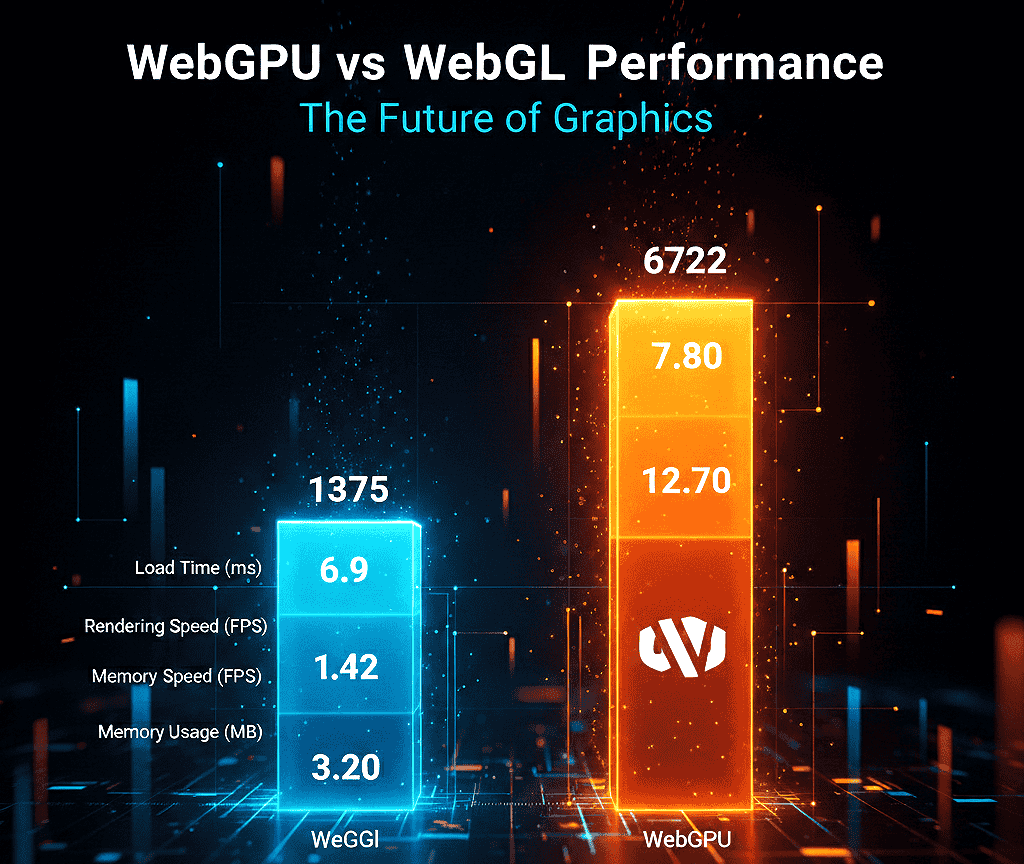
WebGPU vs WebGL Performance And Capabilities For Modern Web Apps
Performance claims need context. While the modern GPU path can deliver large gains, results depend on your workload, data movement, and driver behavior.
WebGL’s place in 2026 remains solid for classic graphics rendering. It maps to OpenGL ES concepts and is tuned for canvas-bound draw calls. WebGL is stable and widely compatible. But it lacks the compute features needed for general-purpose tasks.
WebGPU is graphics + compute. It gives you explicit pipelines, bind groups, and compute shaders so you can run ML kernels, image filters, and physics steps directly on the GPU. That keeps data on the device and avoids contorting graphics calls into compute work — a key reason for big throughput wins.
If you are evaluating migration paths, read our WebGPU vs WebGL migration guide for a step-by-step transition strategy used by US engineering teams.

When 5–10x (Or More) Is Realistic — And When It Isn’t
You see the largest gains when you batch work, reuse recorded commands (render bundles), and avoid CPU↔GPU round-trip. For reuse-heavy scene graphs, engines like Babylon.js report near‑10x wins in specific patterns where render work is reused, and CPU submission is the limiting factor.
That said, gains shrink when you frequently transfer buffers, block on GPU results, or run many tiny workloads. In those cases, command overhead and data movement dominate, and benefits fall back to the 1–2x range.
15x Rendering Claims — Context And Benchmarks
Some lab tests report up to ~15x faster rendering for tightly optimized compute-offload scenarios on high-end discrete GPUs. These are specialized cases; they typically offload large, parallel compute to well-tuned WGSL kernels on desktop discrete GPUs, keep data resident on the GPU, and avoid readbacks.
For general web workloads, expect conservative ranges (3–10x) unless you reproduce the exact test conditions. Always run your own benchmarks on target devices; we provide a test harness you can run locally.
| Workload Expected | Why it benefits | Gain (typical) |
| ML inference (Transformers.js / ONNX) | Parallel kernels in the compute pipeline keep tensors on the GPU | 3–8x |
| Video/image processing | Per-pixel filters run massively parallel | 4–10x |
| Particles & physics | Large parallel simulations with minimal CPU sync | 5–10x |
| Traditional WebGL visuals | Already optimized for draws; less benefit unless offloading compute | 1–2x |
WebGPU vs WebGL Feature Comparison
| Feature | WebGPU | WebGL 2.0 |
| Compute shaders | First-class compute pipelines (WGSL) | Not native — limited compute via fragment shaders/hacks |
| Explicit pipeline control | Full pipeline objects, bind groups, and pipeline layouts | State machine; less explicit control, higher driver variance |
| Bind groups/descriptors | Efficient grouped bindings reduce state churn | Manual uniform/buffer binding, more API overhead |
| Multiple queues | Support for compute/render/transfer queues | No separate queues — single graphics pipeline |
| Shader language | WGSL (modern, portable) | GLSL (older, less suited for compute) |
| Performance tuning | Explicit control; easier to batch and reuse commands | Optimized for draw calls; compute is awkward |
WebGPU Compute API Examples (Short)
Minimal conceptual snippet — full examples live in the Practical block:
// Feature check
if (navigator.gpu) {
const adapter = await navigator.gpu.requestAdapter();
const device = await adapter.requestDevice();
// create shader module, pipeline, dispatch…
}
Performance Microbench Checklist
- Batch updates and minimize map/readback operations.
- Reuse buffers and bind groups; cache pipeline objects.
- Use render bundles for repeated render sequences.
- Tune workgroup size to match GPU compute units and memory.
- Measure encode, submit, and readback times separately.
Choosing Libraries And Engines
If GPU acceleration is core to your product, pick a WebGPU-first engine or a library with a native WebGPU backend (Dawn / WGPU-backed engines). If broad compatibility matters, keep WebGL libraries and add optional WebGPU acceleration where it shows user impact.
Want repeatable numbers? Check our benchmark harness and run the WebGPU vs WebGL tests on target devices. See the Practical section for the Gist and copy-paste WGSL compute examples.
Practical WebGPU Adoption For Frontend Developers And US Teams
Many US enterprises are approaching WebGPU adoption cautiously. Most teams start with progressive enhancement, strong telemetry, and controlled rollouts across mixed device fleets.
Follow these pragmatic steps to detect devices, run a minimal compute pipeline, and ship safe fallbacks.
Minimal compute flow (high level): check navigator.gpu, call requestAdapter(), then requestDevice(). Create a WGSL shader module, build a compute pipeline, encode commands, dispatch workgroups, and submit the queue. Treat any failure as a normal trigger for a fallback path.
Teams planning production rollouts should also review our WebGPU production readiness checklist to validate device support, telemetry coverage, and fallback safety.
Quick Feature Checks — Actionable Code
Run this one-line check in the browser console to confirm basic access:
if (navigator.gpu) {
console.log(‘WebGPU available’);
} else {
console.log(‘No WebGPU support — fallback to WebGL or CPU/Wasm’);
}
Production bootstrap pattern (copy-paste ready):
async function bootstrapGPU(telemetry) {
if (!navigator.gpu) {
telemetry?.log(‘feature’, ‘no-navigator-gpu’);
throw new Error(‘WebGPU not available’);
}
const adapter = await navigator.gpu.requestAdapter();
if (!adapter) {
telemetry?.log(‘adapter’, ‘null’);
throw new Error(‘No suitable GPU adapter found’);
}
try {
const device = await adapter.requestDevice();
telemetry?.log(‘device’, ‘success’, { limits: device.limits });
return { adapter, device };
} catch (err) {
telemetry?.log(‘device’, ‘fail’, { message: err?.message });
throw err;
}
}
Use telemetry events like adapterSuccess, adapterNull, deviceSuccess, deviceFail, and capture adapter info and device.limits to prioritize fixes by OS and device.
Buffers, Bind Groups, And Data Flow
Use storage buffers for large arrays, uniform buffers for small constants, and mapped-at-creation uploads for predictable performance. Minimize CPU↔GPU transfers by batching updates and keeping data resident on the device when possible.
Version and cache bind groups to avoid binding churn. Stable bind layouts reduce pipeline reconfiguration and improve encode throughput. Favor persistent buffers and ring buffers to avoid frequent allocations.
Minimal WGSL Compute Example (Concept)
Below is a short conceptual snippet — full, copy-pasteable examples (vector add + readback) live in our sample repo and the Practical examples section.
// JS bootstrap (concept)
const shaderCode = `@compute @workgroup_size(64)
fn main(@builtin(global_invocation_id) id : vec3) {
// simple compute kernel…
}`;
const shaderModule = device.createShaderModule({ code: shaderCode });
// create pipeline, bind groups, dispatch workgroups, readback buffer…
Performance Tuning And Telemetry
Pick workgroup sizes to match your kernel and target GPUs. Batch dispatches, use async readback, and avoid CPU waits on the GPU. Measure encode, submit, and readback times to prove gains.
- Record encode time, submit time, and readback latency separately in telemetry.
- Cache pipelines and bind groups to reduce per-frame overhead.
- Use render bundles for repeated render sequences and reuse recorded commands where possible.
- Tune workgroup size and memory access patterns to improve occupancy and reduce bank conflicts.
Measure adapter/device success rates, device limits, and device-loss events so you can act on real issues.
Guardrails And Rollout Strategy
- Gate optional GPU features behind feature flags and respect device limits reported at runtime.
- Provide a known-good fallback (WebGL or CPU/Wasm) for core rendering and computation.
- Log validation errors and handle device loss by retrying with conservative limits or degrading gracefully.
- Roll out by cohort: start with a small percentage of users and expand as telemetry confirms stability.
Practical In-Browser Use Cases
- AI/ML inference: Run lightweight models (Transformers.js, ONNX Runtime Web) with tensors kept on the GPU to reduce latency and cloud costs — expect 3–8x speedups on many kernels.
- Video editing & filters: Per-frame compute shaders for color grading, denoise, and transforms — big wins when frames stay on-device (4–10x typical).
- 3D gaming & configurators: Explicit pipelines and render bundles reduce CPU submission overhead and enable richer scenes at higher frame rates.
Regional Guidance: California & Texas
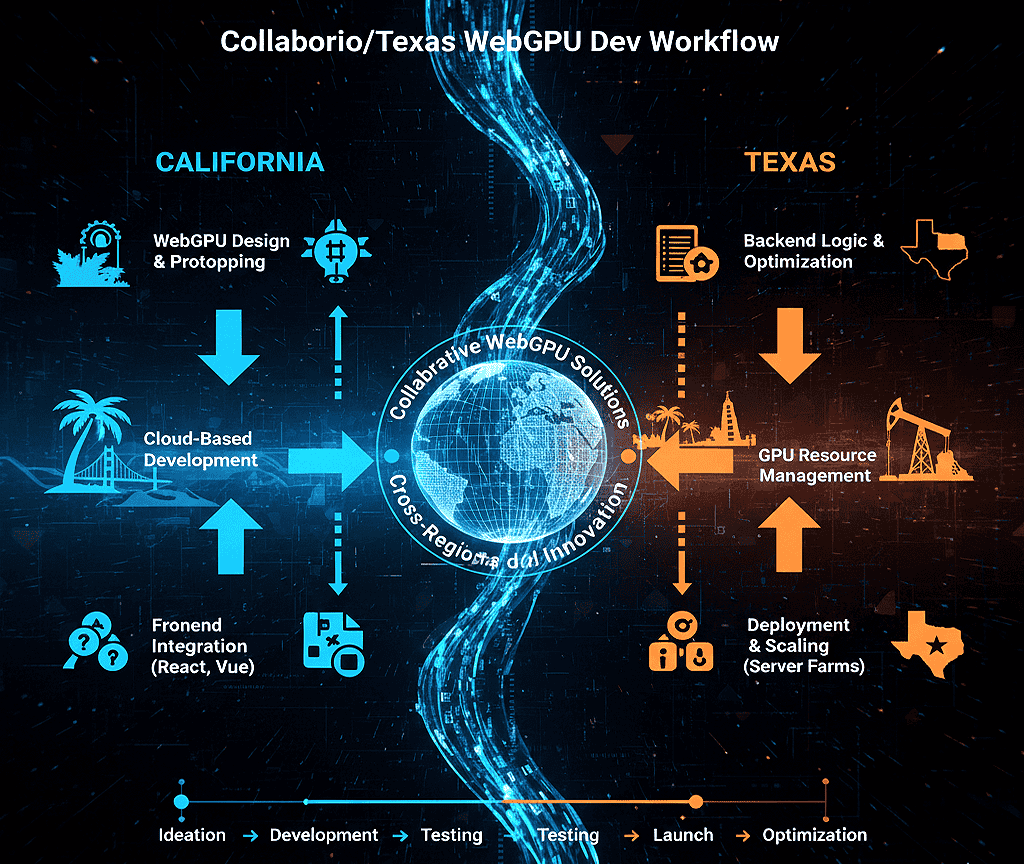
California: High demand for WebGPU development services in California — focus on in-browser AI demos, creative tools, and marketing-grade 3D configurators. Hire developers who know WGSL, profiling, and shader tuning.
Recommended stack: Transformers.js or ONNX Runtime + WebGPU-capable renderer for demos.
Texas: Prioritize cost-effective acceleration for dashboards and enterprise apps. Roll out gradually across mixed fleets, prioritize telemetry, and design for edge devices with varied hardware. Texas enterprise customers often value stability, predictable driver behavior, and conservative feature ramps.
For both regions, maintain a device lab and prioritize real-device QA on representative hardware and OS builds.
How Webo 360 Solutions Helps WebGPU Developers In California & Texas
For organizations moving from experimentation to production, explore our WebGPU consulting and implementation services to accelerate deployment and reduce compatibility risk.
Webo 360 Solutions has worked with modern GPU pipelines, browser performance tuning, and cross-platform compatibility testing for production web applications
- Local engineering teams with WGSL, shader tuning, and profiling expertise.
- Device farms for macOS, Windows, Android, iOS, and visionOS testing to validate WebGPU browser support in USA fleets.
- Performance audits, design, and rollout plans to minimize regressions.
- Migration help WebGL → WebGPU pathways, shader porting, and CI integration with Tint/Naga validation.
Contact Webo 360 Solutions for a pilot compatibility audit or to run a device compatibility sprint in California or Texas.
| Area | Action | Metric to track |
| Feature detection | navigator.gpu → requestAdapter() → requestDevice() | Adapter/device success rate |
| Runtime stability | Cache bind groups; handle device loss | Device‑loss events/validation errors |
| Performance | Batch dispatch; tune workgroup size | Encode/submit/readback latency |
See also: WebGPU web performance optimization, GPU acceleration, and browser techniques for related guidance and deeper examples.
WebGPU continues to evolve through the W3C GPU for the Web Working Group. Developers should monitor official browser release notes, specification updates, and real-world compatibility data when planning production deployments in the United States.
Conclusion
Major engines in 2026 deliver a usable GPU baseline, but OS gating and driver gaps still matter for QA and rollouts. Chromium shows baseline support from v113 on desktop and wider Android coverage by v121 on Android 12+ for many ARM chips. Firefox stabilized wider desktop coverage in the mid-140s (target 147+ for broad, conservative deployment). Apple platforms require macOS/iOS/iPadOS/visionOS 26+ for WebKit-based access.
Adopt WebGPU as a progressive enhancement. Detect support at runtime, provide WebGL or CPU/Wasm fallbacks, and ship a safe user experience for all users. Prioritize compute and rendering tasks where reduced latency and increased throughput provide clear value.
Technically, WebGPU’s explicit pipeline and modern shader model reduce CPU overhead and keep data on the device. If ML inference, video processing, physics, or heavy post-processing are core to your product, favor the new API. If universal compatibility is your top priority, lead with WebGL and add selective WebGPU acceleration where telemetry proves the benefit.
For United States developers and product teams, the safest path forward is progressive enhancement. Validate support, monitor real-world telemetry, and expand WebGPU features only after confirming stability across your production environments.
Webo 360 Solutions continues to help US enterprises adopt advanced GPU technologies safely and efficiently across modern web platforms.
Next Steps Checklist
- Run the quick navigator.gpu check in your analytics and capture adapter/device success rates.
- Implement the production bootstrap (adapter → device) with robust error handling and telemetry (see Practical examples).
- Run the provided benchmark harness on representative Windows, macOS, Android, and iOS devices to measure real gains.
- Ship one measurable workload (ML inference, a filter, or a particle system) and track ROI before wider rollout.
Ready to validate WebGPU browser support? Run our compatibility checker or contact Webo 360 Solutions for a performance audit and pilot in California or Texas.
FAQ
What is this GPU API and why should you care in 2026?
This modern GPU interface gives you high-performance graphics and general-purpose compute directly in web apps. It maps to native backends like Direct3D 12, Metal, and Vulkan, so rendering and compute workloads run closer to native speed.
For developers, that means faster ML inference, video processing, physics, and advanced post-processing in the browser without native bindings.
Which desktop and mobile releases provide the interface across major vendors in the US?
Chromium-based browsers (Chrome, Edge, and other Chromium forks) support WebGPU in recent stable channels — target Chrome 113+ on desktop and Chrome 121+ for broad Android 12+ coverage, but verify per-device drivers.
Firefox desktop coverage stabilized in the mid‑140s; target Firefox 147+ for conservative production support across Windows and rolling releases.
Safari/WebKit requires Apple OS versions aligned with the OS-gated implementation (macOS/iOS/iPadOS/visionOS 26+). Always validate minimum versions and test representative devices.
How do feature detection and fallbacks work for your users?
Use runtime detection to confirm adapter and device availability, then degrade gracefully. A minimal check is if (navigator.gpu) { … } else { fallback }.
In production, call navigator.gpu.requestAdapter(), treat a null adapter as unavailable, then call adapter.requestDevice() and handle failures with retries or fallbacks.
Provide WebGL or CPU/Wasm paths, reduce feature levels on weak devices, and log to track failure modes and platform gaps.
What are the main implementation stacks and why do they matter for your app?
Chromium typically uses a Dawn layer to translate WebGPU calls to Metal, D3D12, or Vulkan. Firefox integrates with the wgpu ecosystem and Rust toolchains. Safari implements WebGPU via WebKit → Metal.
These stacks affect shader translation, validation messages, and driver bug surfaces. Track implementation status and upstream trackers for each engine when triaging issues.
Which shader language and toolchain should you use in 2026?
WGSL is the standard shading language. Use Tint and Naga for validation and cross-compilation in CI. Integrate offline shader checks (createShaderModule + getCompilationInfo) and run headless tests with Dawn/WGPU native harnesses to catch portability problems before shipping.
When does the interface outperform legacy graphics APIs, and when does it not?
You’ll see clear gains for parallel compute tasks and complex render pipelines — ML inference, particle systems, and multi-pass post-processing often gain 3–10x in real workloads and up to ~15x in specialized, tightly optimized lab tests on high-end discrete GPUs.
Simple draw calls or tiny workloads may not benefit because command overhead and data transfer costs dominate. Optimize workgroup sizes and reduce CPU-GPU synchronization to capture gains.
What practical code flow should you follow to start a minimal compute task?
Request an adapter, request a device, create buffers and bind groups, compile a WGSL compute shader, then submit commands through a command encoder and queue. Keep transfers batched, reuse buffers, and prefer mapped-at-creation for predictable uploads to reduce stalls. See Practical examples for full code with error handling and telemetry.
How should you tune performance for production web apps?
Profile to find hot paths and measure encode, submit, and readback times separately. Choose workgroup sizes to match target GPUs, limit transfers per frame, use persistent buffers, cache bind groups and pipelines, and leverage render bundles for repeated workloads. Record these metrics in telemetry to guide rollout and optimizations.
What security and stability checks must you implement?
Respect device-reported limits, validate shader inputs and resource bindings, and implement time and memory limits for untrusted code. Use feature flags and runtime guards to disable advanced features on buggy drivers or low-memory devices, and log device-loss events for post-mortem analysis.
What mobile limitations should developers expect?
Mobile GPUs often have lower memory, smaller maximum buffer sizes, and stricter workgroup limits. On iOS, WebKit and OS versions control availability.
On Android, driver maturity (Adreno, Mali, ARM GPUs) affects stability. Design shaders to be small, avoid large readbacks, batch work, and test on real devices to validate performance and limits.
How do you migrate from WebGL to WebGPU?
Start by identifying compute-heavy paths to port first (image filters, ML kernels, physics). Replace those with compute pipelines while keeping rendering on WebGL if needed. Map uniform and buffer usage to bind groups, modularize shaders into WGSL modules, and add progressive fallbacks. Validate with Tint/Naga and run targeted device tests during migration.
What should I watch for in the WebGPU roadmap and browser flags?
Watch the W3C GPUWeb working group for spec changes and the WebGPU 2.0 discussion threads for planned features. Some advanced features may require experimental flags in certain browsers during early rollouts.
Check caniuse.com and browser release notes for implementation status and flag requirements before enabling bleeding-edge features in production.
Where can I hire help or find development services?
There’s growing demand for WebGPU development services in tech hubs like California and Texas. For hands-on help — performance audits, device labs, and migration support — consider expert teams such as Webo 360 Solutions that offer regional support, device testing, and production rollouts. Contact them for pilots and compatibility audits.
Which libraries, engines, and tools are practical choices today?
Choose engines and libraries with active WebGPU backends or native bindings. Look for projects with cross-backend testing and compute pipeline examples.
Use toolchains like Tint and Naga for shader validation, and source headless harnesses (Dawn/WGPU) to run CI checks. Favor well-maintained libraries with production usage to reduce integration risk.
How do you verify real-world compatibility across devices?
Run an end-to-end test matrix across OS versions, GPU vendors, and device classes. Automate feature-detection checks in your analytics, deploy staged rollouts, and collect telemetry on adapter/device success rates, limits, and failures.
Maintain documented fallbacks and a device-priority list for QA. For more, see our Practical section with copy-paste bootstraps and the downloadable test harness.